Back at it
-
Late night modeling on my iPad 🤪
I made sure all my interactions work right with the Logitech Muse (i.e. stylus won't orbit the viewport, will modally lock to highlighted gizmo axes, etc), so now I can do a bit of vertex editing on the Apple Vision Pro, channeling @Dreamwieber
-
I made sure all my interactions work right with the Logitech Muse (i.e. stylus won't orbit the viewport, will modally lock to highlighted gizmo axes, etc), so now I can do a bit of vertex editing on the Apple Vision Pro, channeling @Dreamwieber
I never really thought about it before, but multitouch is actually legit for 3D modeling tools, maybe even better than a desktop. On a Mac, you need to hold modifier keys (or buy a multi-button mouse) to do everything you want with the viewport, but on touch you can orbit, pan, zoom, and multi-select very easily. If you special-case the stylus too, like I am, it feels very powerful.
Almost all of this extends to spatial computing, though visionOS struggles a bit with two-hand gestures
-
I never really thought about it before, but multitouch is actually legit for 3D modeling tools, maybe even better than a desktop. On a Mac, you need to hold modifier keys (or buy a multi-button mouse) to do everything you want with the viewport, but on touch you can orbit, pan, zoom, and multi-select very easily. If you special-case the stylus too, like I am, it feels very powerful.
Almost all of this extends to spatial computing, though visionOS struggles a bit with two-hand gestures
@stroughtonsmith I mostly use Shapr3D on my iPad for CAD stuff I am so much faster than on my Mac with the same app.
-
@stroughtonsmith I mostly use Shapr3D on my iPad for CAD stuff I am so much faster than on my Mac with the same app.
@stroughtonsmith it’s great to use with the pencil and as you said touch for navigation.
-
I never really thought about it before, but multitouch is actually legit for 3D modeling tools, maybe even better than a desktop. On a Mac, you need to hold modifier keys (or buy a multi-button mouse) to do everything you want with the viewport, but on touch you can orbit, pan, zoom, and multi-select very easily. If you special-case the stylus too, like I am, it feels very powerful.
Almost all of this extends to spatial computing, though visionOS struggles a bit with two-hand gestures
The raytrace operation will now be dispatched into the background on iOS, allowing for long-running background tasks
-
The raytrace operation will now be dispatched into the background on iOS, allowing for long-running background tasks
@stroughtonsmith only available on M3+ iPads, though

-
@stroughtonsmith only available on M3+ iPads, though
@gregggreg oh no this runs on devices before that. I think it needs an M1/A14-class device or higher
-
@gregggreg oh no this runs on devices before that. I think it needs an M1/A14-class device or higher
@stroughtonsmith using GPU in background tasks requires M3+ iPad I thought?
-
@stroughtonsmith using GPU in background tasks requires M3+ iPad I thought?
@gregggreg do you have a source for that? I haven’t seen that documented
-
@gregggreg do you have a source for that? I haven’t seen that documented
@stroughtonsmith https://developer.apple.com/forums/thread/797538?answerId=854825022#854825022
"...which is that the iPhone 16 Pro does not support background GPU. I don't know of anywhere we formally state exactly which devices support it, but I believe it's only support on iPad's with an M3 or better (and not supported on any iPhone)."
-
The raytrace operation will now be dispatched into the background on iOS, allowing for long-running background tasks
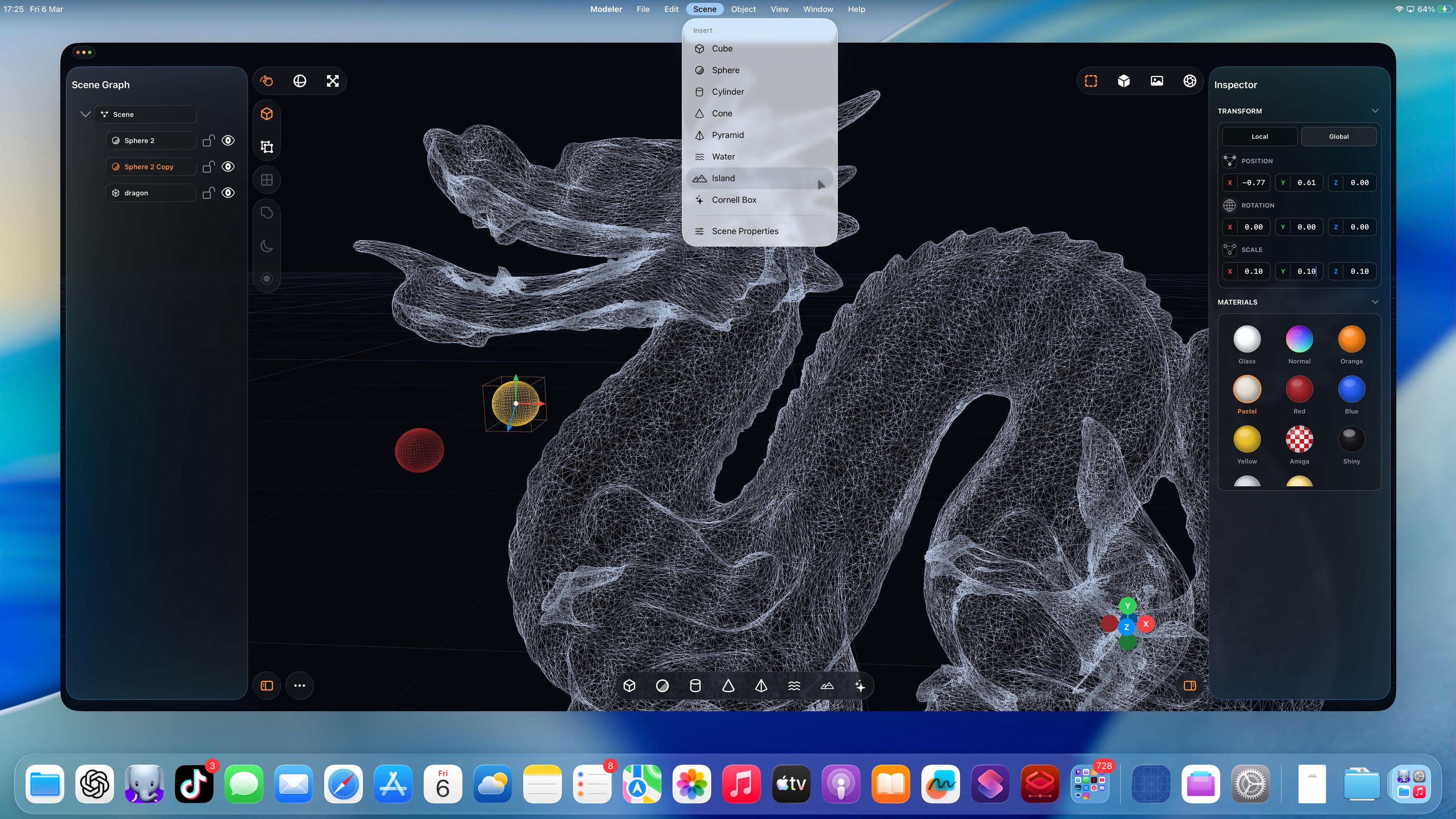
iPadOS has never been better for rich, complex, desktop-class apps. Almost all of the old barriers and blockers are gone.
Sadly, Apple waited until most developers had run out of patience with the platform.
If this thing had Xcode, a real Xcode, it would be effectively complete
-
iPadOS has never been better for rich, complex, desktop-class apps. Almost all of the old barriers and blockers are gone.
Sadly, Apple waited until most developers had run out of patience with the platform.
If this thing had Xcode, a real Xcode, it would be effectively complete
(Maybe I should vibe code Xcode, next.)
-
(Maybe I should vibe code Xcode, next.)
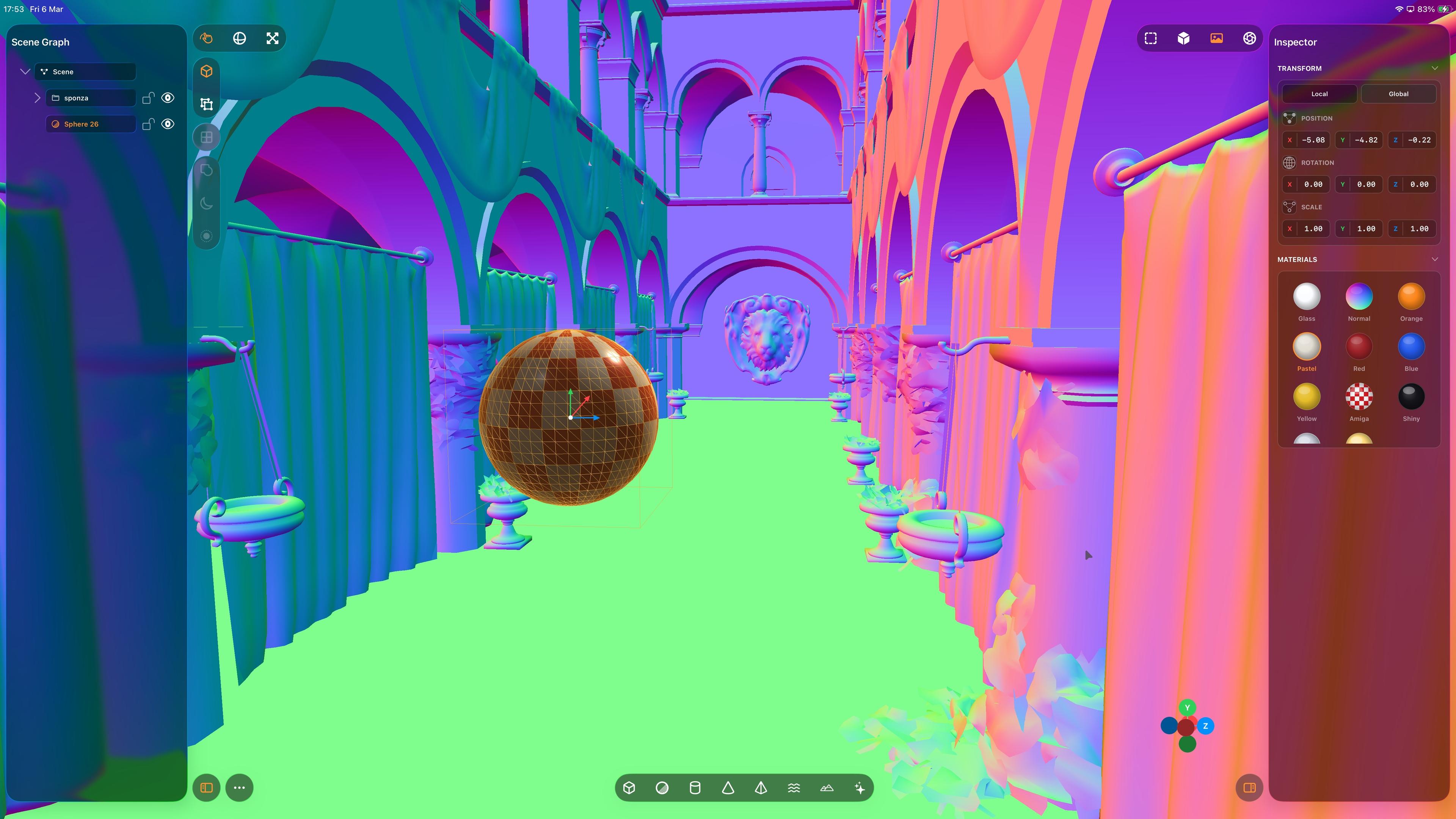
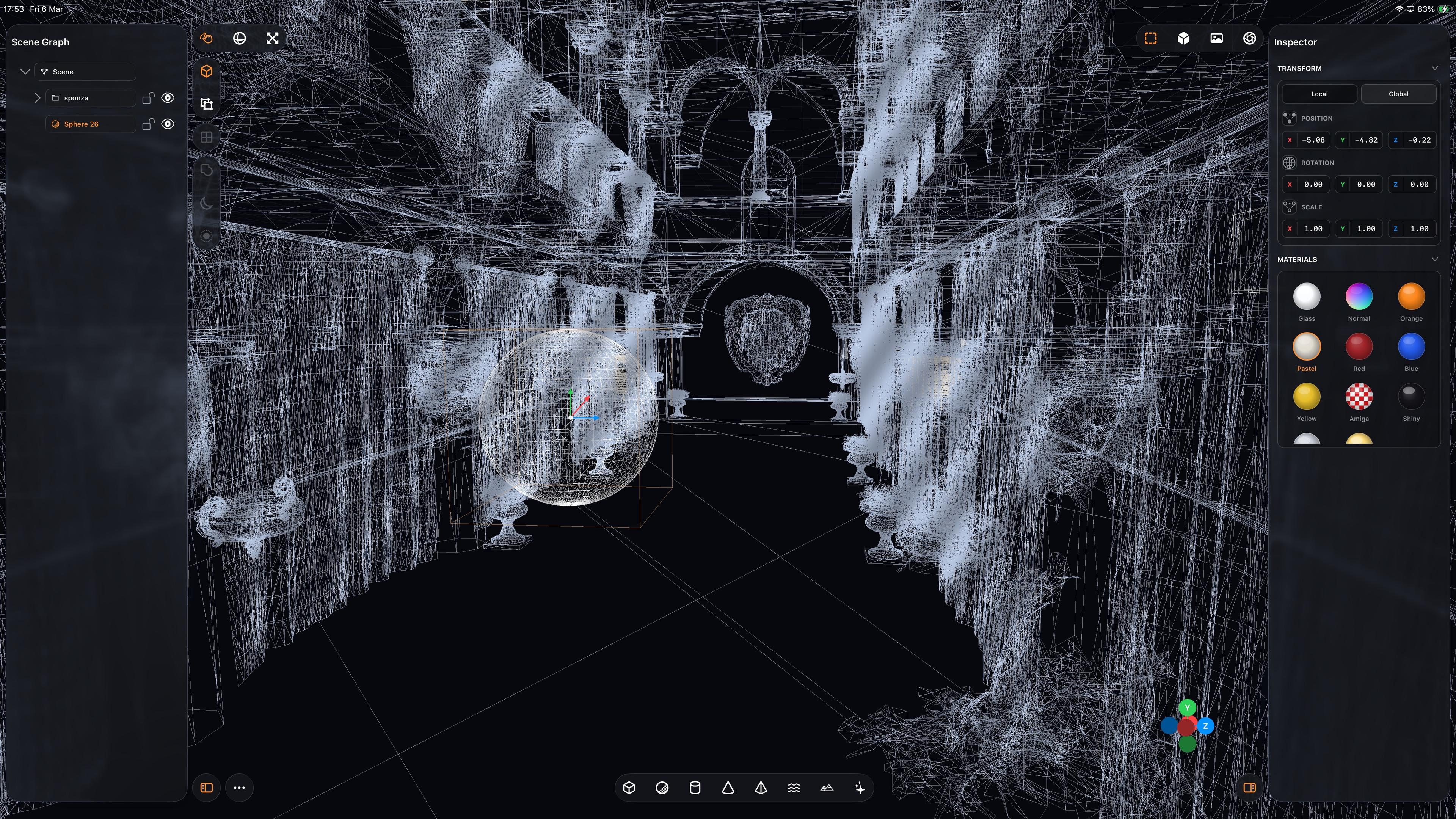
Complex scenes are kinda fun

-
(Maybe I should vibe code Xcode, next.)
-
Complex scenes are kinda fun
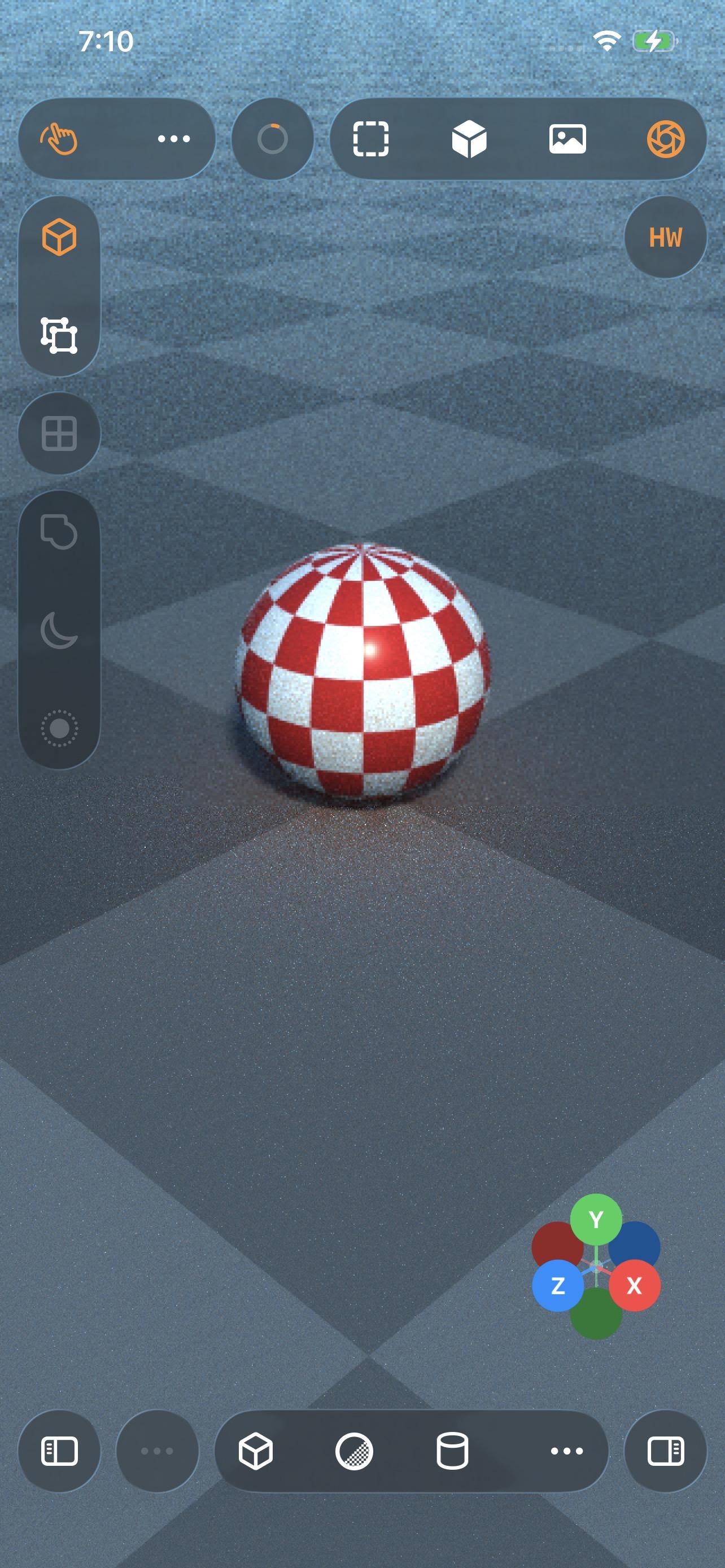
Even my iPhone 12 Pro Max can raytrace!
Which I guess is not all that surprising, considering the A14 chip is the same generation as the M1
-
Even my iPhone 12 Pro Max can raytrace!
Which I guess is not all that surprising, considering the A14 chip is the same generation as the M1
-
(Maybe I should vibe code Xcode, next.)
@stroughtonsmith The moment you vibe code it and it doesn’t have a modal pop up whenever it connects to the watch, we will know we’ve achieved the singularity
-
Even my iPhone 12 Pro Max can raytrace!
Which I guess is not all that surprising, considering the A14 chip is the same generation as the M1
@stroughtonsmith Petition to rename all A Series SoC as M Series "Mini".
A14 -> M1 Mini
A18 Pro -> M4 MiniThe benchmarks don't lie.
-
Even my iPhone 12 Pro Max can raytrace!
Which I guess is not all that surprising, considering the A14 chip is the same generation as the M1
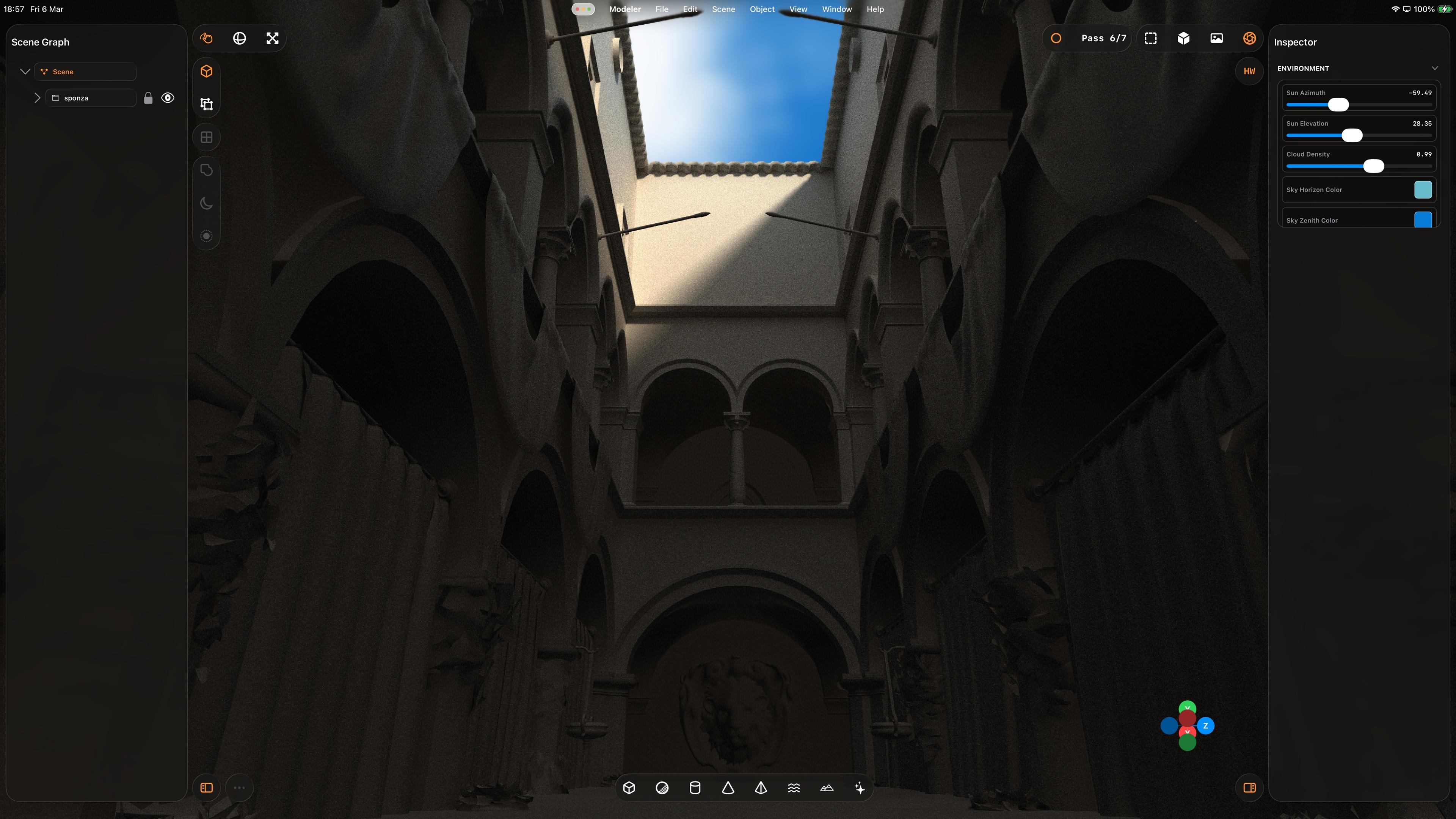
That’s a whole lot of raytracing from a little iPad. Biggest render to date, at 5120x2880 — took about an hour to get to the final pass.
Crashed right at the end, so I didn’t get to take a picture of the final output 🥲
The raytracer still needs a bunch of work, but it’s more and more capable day by day
-
iPadOS has never been better for rich, complex, desktop-class apps. Almost all of the old barriers and blockers are gone.
Sadly, Apple waited until most developers had run out of patience with the platform.
If this thing had Xcode, a real Xcode, it would be effectively complete
@stroughtonsmith Much like with the windowed UI, I feel like Apple is putting in more work avoiding Xcode while previously making Swift Playgrounds nearly capable enough. It seems simpler to just have Xcode at this point.