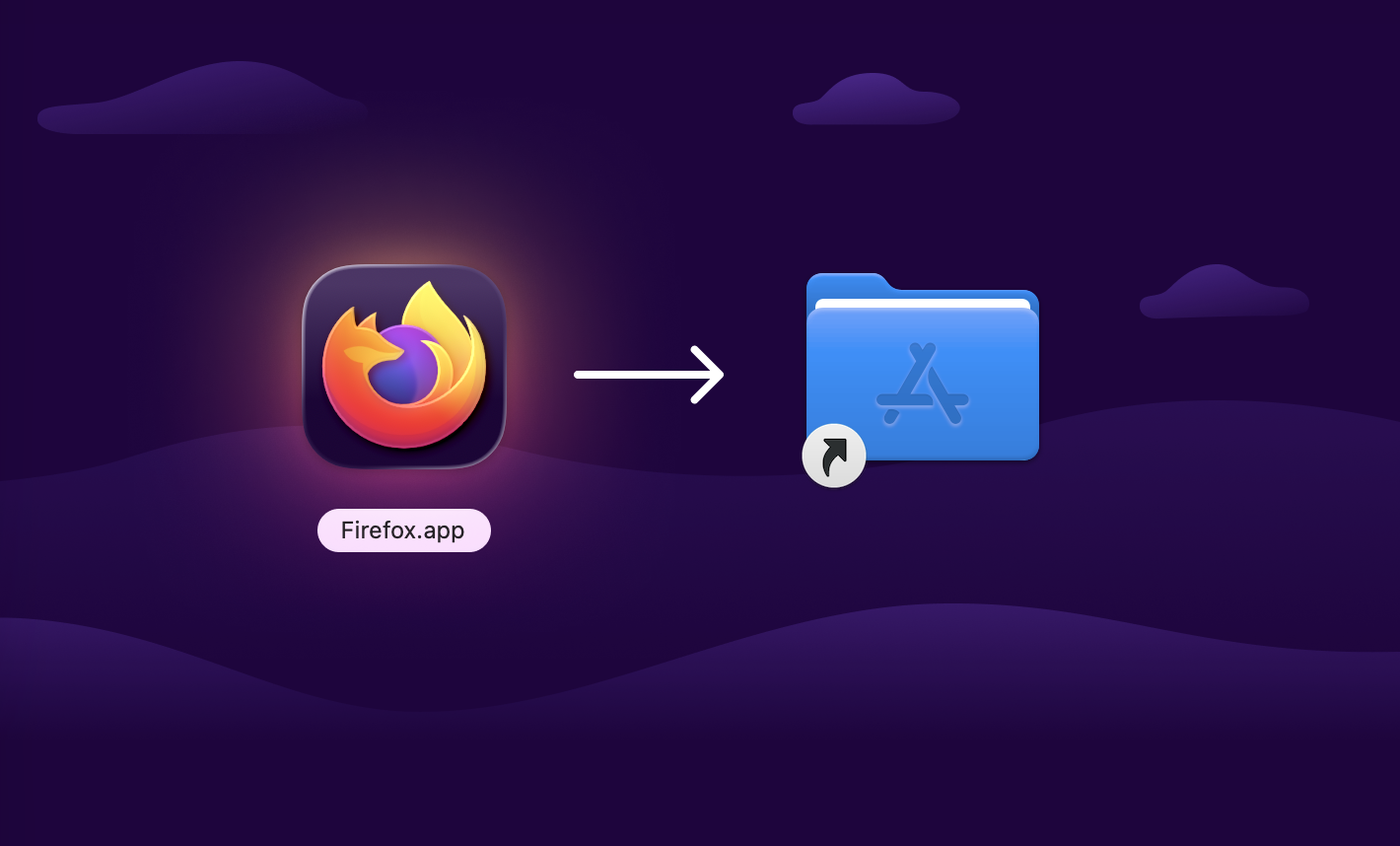
I'm wondering why people are praising the way you install apps on macOS.
-
@haeckerfelix App Store is a joke for the same reason why there is such an opposition to Flatpak and Snap: many devs don't like sandboxes. I wonder which % of Flathub are community repackages and wrappers. Even big names like Proton don't have official flatpaks.
@spyke yeah, developing with a sandbox in mind might be more challenging, but making a large app store without any sandboxing is a security nightmare.
Also ~58% of Flathub apps are verified
https://flathub.org/en-GB/statistics -
I'm wondering why people are praising the way you install apps on macOS. Sure, the idea that you can just drag and drop the app bundle into the applications folder is kinda neat.
But, IMHO, the user experience is pretty poor. You basically get no feedback. Did the copying succeed? Is it still ongoing? How do I actually start the "installed" app? Do I need to double-click the app icon? Why is the app not in my dock?
@haeckerfelix and how do you uninstall it ?
-
@nclm and you unmount it by dragging the "desktop icon" for the app to the trash.
From a user POV, why do I have to “unmount” the “installer” for my app to begin with??
So intuitive!
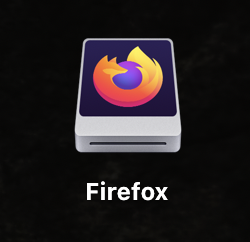
@haeckerfelix @nclm fun fact: the trash icon in the dock used to turn into an Eject icon when you dragged a filesystem icon. Since High Sierra (or earlier, can't test) that stopped working.
Great visibility, very regression, much wow -
@haeckerfelix and how do you uninstall it ?
@quixoticgeek @haeckerfelix drag it from the Applications folder to the trash (or select it and press delete)
-
I'm wondering why people are praising the way you install apps on macOS. Sure, the idea that you can just drag and drop the app bundle into the applications folder is kinda neat.
But, IMHO, the user experience is pretty poor. You basically get no feedback. Did the copying succeed? Is it still ongoing? How do I actually start the "installed" app? Do I need to double-click the app icon? Why is the app not in my dock?
@haeckerfelix THIS! THIS RIGHT HERE!! the same happened to me the first time i was using macos, people praised it for how simple it is, no!! you just got used to how messy it is!!! -
I'm wondering why people are praising the way you install apps on macOS. Sure, the idea that you can just drag and drop the app bundle into the applications folder is kinda neat.
But, IMHO, the user experience is pretty poor. You basically get no feedback. Did the copying succeed? Is it still ongoing? How do I actually start the "installed" app? Do I need to double-click the app icon? Why is the app not in my dock?
@haeckerfelix @lisamelton
to be fair, they upgraded it to “search-and-click” on the app store, but not everyone likes that method
also what we call an app is just a folder in fancy dress, and that is exactly what you’d do with a folder.
also, there are libs for devs to make the app move to the apps folder on double click.
also, more than that, would be good to hear better ideas, cause those, historically speaking, are all pretty good.
-
@haeckerfelix @lisamelton
to be fair, they upgraded it to “search-and-click” on the app store, but not everyone likes that methodalso what we call an app is just a folder in fancy dress, and that is exactly what you’d do with a folder.
also, there are libs for devs to make the app move to the apps folder on double click.
also, more than that, would be good to hear better ideas, cause those, historically speaking, are all pretty good.
@haeckerfelix @lisamelton also, remember: inside macos there are two wolves: one is howling “make it simpler!” and the other is howling “i want more control!”

-
I'm wondering why people are praising the way you install apps on macOS. Sure, the idea that you can just drag and drop the app bundle into the applications folder is kinda neat.
But, IMHO, the user experience is pretty poor. You basically get no feedback. Did the copying succeed? Is it still ongoing? How do I actually start the "installed" app? Do I need to double-click the app icon? Why is the app not in my dock?
@haeckerfelix At one point internet hosted .pkg.zip files got deemed too easy to install and apple started putting up security roadblocks to them. Beyond signing pkg files and making them software can be delivered that way it still works tho.
-
I'm wondering why people are praising the way you install apps on macOS. Sure, the idea that you can just drag and drop the app bundle into the applications folder is kinda neat.
But, IMHO, the user experience is pretty poor. You basically get no feedback. Did the copying succeed? Is it still ongoing? How do I actually start the "installed" app? Do I need to double-click the app icon? Why is the app not in my dock?
@haeckerfelix I grew up with the Mac in the 1980s, and there's always been two processes for installing software. The one way was to drag the executable onto your hard drive (and later on there was the somewhat more neat-and-tidy "Applications" folder). The other is to run an installer.
None of us back then had a problem with it; are people today just too stupid for their own good and probably shouldn't be using computers to begin with?
-
@jvnknvlgl yeah, sometimes you get a progress dialog, sometimes not. I guess it depends on how long the copy operation takes.
The behavior isn't really consistent. In the past, I've wondered whether the drag-and-drop was successful, as I didn't get a progress dialog.
@haeckerfelix @jvnknvlgl I noticed this a couple years ago; there used to be a progress bar pretty much regardless of time. Now if something copies instantly, yeah, no feedback.
Completely agree that Macs haven’t handled / improved this stuff well at all. I infer they think everything should be on the app store, which sucks generally and ALSO hasn’t received any major improvements in a decade :[
-
@haeckerfelix @nclm fun fact: the trash icon in the dock used to turn into an Eject icon when you dragged a filesystem icon. Since High Sierra (or earlier, can't test) that stopped working.
Great visibility, very regression, much wow@kgMadee2 @haeckerfelix @nclm they’ve broken / removed so many of those small A/V helpers, no doubt in service of a “cleaner UI”
so clean it makes no dang sense!
-
@jvnknvlgl yeah, sometimes you get a progress dialog, sometimes not. I guess it depends on how long the copy operation takes.
The behavior isn't really consistent. In the past, I've wondered whether the drag-and-drop was successful, as I didn't get a progress dialog.
@haeckerfelix @jvnknvlgl drag & drop has a clear and distinct audio cue on completion, and the accessibility option is for the menubar to flash.
-
I’m excited to see the massive progress that Linux has made with the Flathub/Flatpak ecosystem over the last few years.
I don’t think there’s anything comparable for desktop systems out there. The macOS App Store and the Microsoft Store are nothing in comparison. Want to install Thunderbird or Steam? Well, tough luck. You’ll have to figure it out for yourself.
It's time for Microsoft and Apple to catch up. Not the other way around.
@haeckerfelix nono, let Apple and Microsoft continue enshittifying their OS. Whatever makes the Linux desktop more attractive the better

-
I’m excited to see the massive progress that Linux has made with the Flathub/Flatpak ecosystem over the last few years.
I don’t think there’s anything comparable for desktop systems out there. The macOS App Store and the Microsoft Store are nothing in comparison. Want to install Thunderbird or Steam? Well, tough luck. You’ll have to figure it out for yourself.
It's time for Microsoft and Apple to catch up. Not the other way around.
@haeckerfelix In terms of its quality it's ahead of what you get on Google Play / App Store as well, imo.
-
I'm wondering why people are praising the way you install apps on macOS. Sure, the idea that you can just drag and drop the app bundle into the applications folder is kinda neat.
But, IMHO, the user experience is pretty poor. You basically get no feedback. Did the copying succeed? Is it still ongoing? How do I actually start the "installed" app? Do I need to double-click the app icon? Why is the app not in my dock?
@haeckerfelix dmg files are a remnant of a distant macOS past, back when zip would fail to properly include the resource forks. This has been irrelevant for more than 20 years.
The proper way to distribute a mac app is:
- zip the app file
- have it detect that it’s running from ~/Downloads, and offer to move itself to /Applications.And I’m saying this as someone whose daily job involved setting up dmg files with custom background and carefully positioned icons. But that was 20 years ago.
-
@nclm and you unmount it by dragging the "desktop icon" for the app to the trash.
From a user POV, why do I have to “unmount” the “installer” for my app to begin with??
So intuitive!
@haeckerfelix @nclm every time I see a new Mac user who has just installed some apps, they leave every single DMG mounted and they don't even shut down their computer as they're all Macbook users who would rather close the lid into standby every single time.
-
I'm wondering why people are praising the way you install apps on macOS. Sure, the idea that you can just drag and drop the app bundle into the applications folder is kinda neat.
But, IMHO, the user experience is pretty poor. You basically get no feedback. Did the copying succeed? Is it still ongoing? How do I actually start the "installed" app? Do I need to double-click the app icon? Why is the app not in my dock?
@haeckerfelix macos: apps are just "files". you copy them to your filesystem.
linux guy: everything is a file? who came up with this bonkers concept. thats way too uncomplicated for me to understand.
-
I'm wondering why people are praising the way you install apps on macOS. Sure, the idea that you can just drag and drop the app bundle into the applications folder is kinda neat.
But, IMHO, the user experience is pretty poor. You basically get no feedback. Did the copying succeed? Is it still ongoing? How do I actually start the "installed" app? Do I need to double-click the app icon? Why is the app not in my dock?
@haeckerfelix indeed, this way of installing apps on macos always baffled me. I guess brew helps a ton.
-
 G gnome@floss.social shared this topic
-
I'm wondering why people are praising the way you install apps on macOS. Sure, the idea that you can just drag and drop the app bundle into the applications folder is kinda neat.
But, IMHO, the user experience is pretty poor. You basically get no feedback. Did the copying succeed? Is it still ongoing? How do I actually start the "installed" app? Do I need to double-click the app icon? Why is the app not in my dock?
@haeckerfelix
Another issue is that drag and drop is an action that can only be performed by advanced and valid people. Old people struggle with the difference between click and double click and often can't do drag and drop. Also it's not easily discoverable it's something you have to learn. So overall it's a bad UX. -
I’m excited to see the massive progress that Linux has made with the Flathub/Flatpak ecosystem over the last few years.
I don’t think there’s anything comparable for desktop systems out there. The macOS App Store and the Microsoft Store are nothing in comparison. Want to install Thunderbird or Steam? Well, tough luck. You’ll have to figure it out for yourself.
It's time for Microsoft and Apple to catch up. Not the other way around.
@haeckerfelix indeed. Even far-reaching software like OBS Studio works impressively good on flatpak nowadays.