Skip to content
  • Categories
  • Recent
  • Tags
  • Popular
  • World
  • Users
  • Groups
Skins
  • Light
  • Brite
  • Cerulean
  • Cosmo
  • Flatly
  • Journal
  • Litera
  • Lumen
  • Lux
  • Materia
  • Minty
  • Morph
  • Pulse
  • Sandstone
  • Simplex
  • Sketchy
  • Spacelab
  • United
  • Yeti
  • Zephyr
  • Dark
  • Cyborg
  • Darkly
  • Quartz
  • Slate
  • Solar
  • Superhero
  • Vapor

  • Default (Cyborg)
  • No Skin
Collapse
Brand Logo

CIRCLE WITH A DOT

  1. Home
  2. Uncategorized
  3. I'm wondering why people are praising the way you install apps on macOS.

I'm wondering why people are praising the way you install apps on macOS.
Scheduled Pinned Locked Moved Uncategorized
40 Posts 29 Posters 1 Views
  • Oldest to Newest
  • Newest to Oldest
  • Most Votes
Reply
  • Reply as topic
Log in to reply
This topic has been deleted. Only users with topic management privileges can see it.
  • haeckerfelix@mastodon.socialH haeckerfelix@mastodon.social

    @jvnknvlgl yeah, sometimes you get a progress dialog, sometimes not. I guess it depends on how long the copy operation takes.

    The behavior isn't really consistent. In the past, I've wondered whether the drag-and-drop was successful, as I didn't get a progress dialog.

    jvnknvlgl@mastodon.socialJ This user is from outside of this forum
    jvnknvlgl@mastodon.socialJ This user is from outside of this forum
    jvnknvlgl@mastodon.social
    wrote last edited by
    #8

    @haeckerfelix that's fair and I definitely understand what you mean.

    1 Reply Last reply
    0
    • nclm@mastodon.socialN nclm@mastodon.social

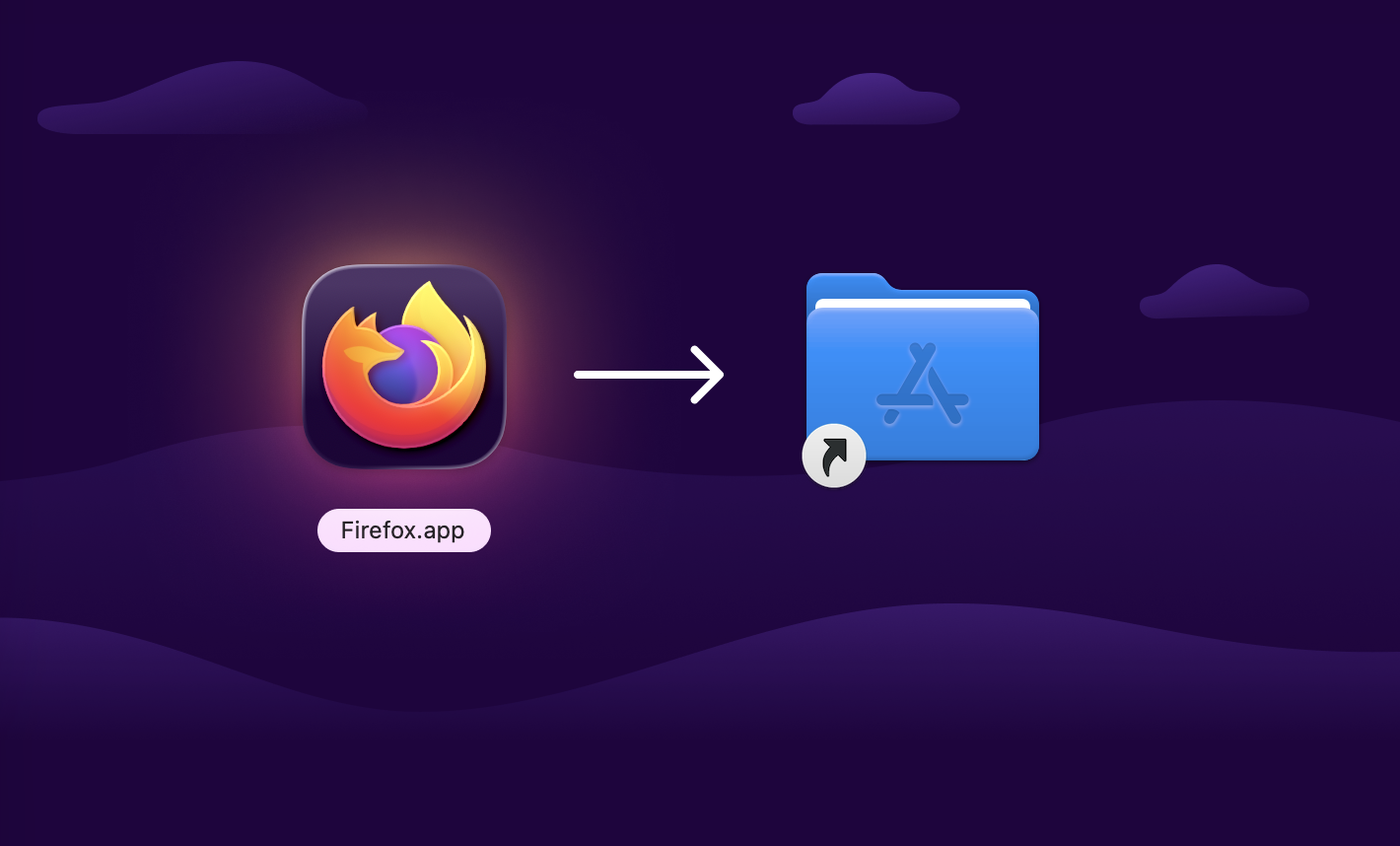
      @haeckerfelix It’s the weirdest thing. Here’s the app but actually it’s a disc image. You have to double click it to mount the disk image. Pretend you got the app on a cd. Then open the disk image, in which there is your app. But you shouldn’t the app just yet, no! You must first move it to another folder. The app developer manually added a shortcut to that for your convenience. Then you open this folder, then you launch the app. The disk image? It’s still there, don’t forget to unmount it.

      nclm@mastodon.socialN This user is from outside of this forum
      nclm@mastodon.socialN This user is from outside of this forum
      nclm@mastodon.social
      wrote last edited by
      #9

      @haeckerfelix I’m guessing it’s really a leftover from apps on cd-roms, and from a point when you might have wanted to launch the app directly from the disk (occasional use or not enough hard drive space) and not always install it. I discovered macOS in 2010 after years of Linux and Windows, and it was already then and still now feeling to me like the most convoluted and absurd install process.

      nclm@mastodon.socialN 1 Reply Last reply
      0
      • nclm@mastodon.socialN nclm@mastodon.social

        @haeckerfelix I’m guessing it’s really a leftover from apps on cd-roms, and from a point when you might have wanted to launch the app directly from the disk (occasional use or not enough hard drive space) and not always install it. I discovered macOS in 2010 after years of Linux and Windows, and it was already then and still now feeling to me like the most convoluted and absurd install process.

        nclm@mastodon.socialN This user is from outside of this forum
        nclm@mastodon.socialN This user is from outside of this forum
        nclm@mastodon.social
        wrote last edited by
        #10

        @haeckerfelix They could so much have a “Download the .app / Double click it / Get prompted if you want to install or just launch once / That’s it” process? Like an Appimage with Gear Lever on Linux. I know .apps are just folders but they could have a variant in which it’s a zip or something.

        1 Reply Last reply
        0
        • nclm@mastodon.socialN nclm@mastodon.social

          @haeckerfelix It’s the weirdest thing. Here’s the app but actually it’s a disc image. You have to double click it to mount the disk image. Pretend you got the app on a cd. Then open the disk image, in which there is your app. But you shouldn’t the app just yet, no! You must first move it to another folder. The app developer manually added a shortcut to that for your convenience. Then you open this folder, then you launch the app. The disk image? It’s still there, don’t forget to unmount it.

          haeckerfelix@mastodon.socialH This user is from outside of this forum
          haeckerfelix@mastodon.socialH This user is from outside of this forum
          haeckerfelix@mastodon.social
          wrote last edited by
          #11

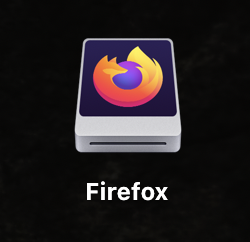
          @nclm and you unmount it by dragging the "desktop icon" for the app to the trash.

          From a user POV, why do I have to “unmount” the “installer” for my app to begin with??

          So intuitive!
          Link Preview Image
          kgmadee2@mathstodon.xyzK gianmarcogg03@mastodon.unoG jernej__s@infosec.exchangeJ 3 Replies Last reply
          0
          • haeckerfelix@mastodon.socialH haeckerfelix@mastodon.social

            It's obvious to tech-savvy/experienced macOS users, but I'm surprised that this is still the default way to install stuff after all this time, and that Apple has not come up with something better.

            Sorry, but the macOS App Store is a joke.

            spyke@mastodon.onlineS This user is from outside of this forum
            spyke@mastodon.onlineS This user is from outside of this forum
            spyke@mastodon.online
            wrote last edited by
            #12

            @haeckerfelix App Store is a joke for the same reason why there is such an opposition to Flatpak and Snap: many devs don't like sandboxes. I wonder which % of Flathub are community repackages and wrappers. Even big names like Proton don't have official flatpaks.

            aninus@mastodon.socialA 1 Reply Last reply
            0
            • haeckerfelix@mastodon.socialH haeckerfelix@mastodon.social

              I’m excited to see the massive progress that Linux has made with the Flathub/Flatpak ecosystem over the last few years.

              I don’t think there’s anything comparable for desktop systems out there. The macOS App Store and the Microsoft Store are nothing in comparison. Want to install Thunderbird or Steam? Well, tough luck. You’ll have to figure it out for yourself.

              It's time for Microsoft and Apple to catch up. Not the other way around.

              #Flathub #Flatpak

              nclm@mastodon.socialN This user is from outside of this forum
              nclm@mastodon.socialN This user is from outside of this forum
              nclm@mastodon.social
              wrote last edited by
              #13

              @haeckerfelix Found this bad quality picture I tweeted back when the Mac App Store was released https://twitpic.com/3nlngq 😅

              (if I remember correctly I followed with a video installing simultaneously the same app on both, and the result was it was installed and running much sooner on Linux while the macOS process was more complicated, like asking for credit card while the app was free)

              To be clear Linux had its fair share of UX issues, but installing apps always felt simpler and smoother to me.

              1 Reply Last reply
              0
              • haeckerfelix@mastodon.socialH haeckerfelix@mastodon.social

                It's obvious to tech-savvy/experienced macOS users, but I'm surprised that this is still the default way to install stuff after all this time, and that Apple has not come up with something better.

                Sorry, but the macOS App Store is a joke.

                ju@chaos.socialJ This user is from outside of this forum
                ju@chaos.socialJ This user is from outside of this forum
                ju@chaos.social
                wrote last edited by
                #14

                @haeckerfelix I've never used macOS myself. Why is the app store a joke?

                haeckerfelix@mastodon.socialH 1 Reply Last reply
                0
                • ju@chaos.socialJ ju@chaos.social

                  @haeckerfelix I've never used macOS myself. Why is the app store a joke?

                  haeckerfelix@mastodon.socialH This user is from outside of this forum
                  haeckerfelix@mastodon.socialH This user is from outside of this forum
                  haeckerfelix@mastodon.social
                  wrote last edited by
                  #15

                  @ju the selection of apps is tiny.

                  I don't think I've been able to install a single app from the App Store on my machine 😕

                  1 Reply Last reply
                  0
                  • haeckerfelix@mastodon.socialH haeckerfelix@mastodon.social

                    I'm wondering why people are praising the way you install apps on macOS. Sure, the idea that you can just drag and drop the app bundle into the applications folder is kinda neat.

                    But, IMHO, the user experience is pretty poor. You basically get no feedback. Did the copying succeed? Is it still ongoing? How do I actually start the "installed" app? Do I need to double-click the app icon? Why is the app not in my dock?

                    psukys@mstdn.socialP This user is from outside of this forum
                    psukys@mstdn.socialP This user is from outside of this forum
                    psukys@mstdn.social
                    wrote last edited by
                    #16

                    @haeckerfelix wish there was flatpak on mac

                    1 Reply Last reply
                    0
                    • spyke@mastodon.onlineS spyke@mastodon.online

                      @haeckerfelix App Store is a joke for the same reason why there is such an opposition to Flatpak and Snap: many devs don't like sandboxes. I wonder which % of Flathub are community repackages and wrappers. Even big names like Proton don't have official flatpaks.

                      aninus@mastodon.socialA This user is from outside of this forum
                      aninus@mastodon.socialA This user is from outside of this forum
                      aninus@mastodon.social
                      wrote last edited by
                      #17

                      @spyke yeah, developing with a sandbox in mind might be more challenging, but making a large app store without any sandboxing is a security nightmare.

                      Also ~58% of Flathub apps are verified
                      https://flathub.org/en-GB/statistics

                      1 Reply Last reply
                      0
                      • haeckerfelix@mastodon.socialH haeckerfelix@mastodon.social

                        I'm wondering why people are praising the way you install apps on macOS. Sure, the idea that you can just drag and drop the app bundle into the applications folder is kinda neat.

                        But, IMHO, the user experience is pretty poor. You basically get no feedback. Did the copying succeed? Is it still ongoing? How do I actually start the "installed" app? Do I need to double-click the app icon? Why is the app not in my dock?

                        quixoticgeek@social.v.stQ This user is from outside of this forum
                        quixoticgeek@social.v.stQ This user is from outside of this forum
                        quixoticgeek@social.v.st
                        wrote last edited by
                        #18

                        @haeckerfelix and how do you uninstall it ?

                        klikini@pnw.zoneK 1 Reply Last reply
                        0
                        • haeckerfelix@mastodon.socialH haeckerfelix@mastodon.social

                          @nclm and you unmount it by dragging the "desktop icon" for the app to the trash.

                          From a user POV, why do I have to “unmount” the “installer” for my app to begin with??

                          So intuitive!

                          Link Preview Image
                          kgmadee2@mathstodon.xyzK This user is from outside of this forum
                          kgmadee2@mathstodon.xyzK This user is from outside of this forum
                          kgmadee2@mathstodon.xyz
                          wrote last edited by
                          #19

                          @haeckerfelix @nclm fun fact: the trash icon in the dock used to turn into an Eject icon when you dragged a filesystem icon. Since High Sierra (or earlier, can't test) that stopped working.
                          Great visibility, very regression, much wow

                          splendorr@mastodon.socialS 1 Reply Last reply
                          0
                          • quixoticgeek@social.v.stQ quixoticgeek@social.v.st

                            @haeckerfelix and how do you uninstall it ?

                            klikini@pnw.zoneK This user is from outside of this forum
                            klikini@pnw.zoneK This user is from outside of this forum
                            klikini@pnw.zone
                            wrote last edited by
                            #20

                            @quixoticgeek @haeckerfelix drag it from the Applications folder to the trash (or select it and press delete)

                            1 Reply Last reply
                            0
                            • haeckerfelix@mastodon.socialH haeckerfelix@mastodon.social

                              I'm wondering why people are praising the way you install apps on macOS. Sure, the idea that you can just drag and drop the app bundle into the applications folder is kinda neat.

                              But, IMHO, the user experience is pretty poor. You basically get no feedback. Did the copying succeed? Is it still ongoing? How do I actually start the "installed" app? Do I need to double-click the app icon? Why is the app not in my dock?

                              keyshooter@akko.wtfK This user is from outside of this forum
                              keyshooter@akko.wtfK This user is from outside of this forum
                              keyshooter@akko.wtf
                              wrote last edited by
                              #21
                              @haeckerfelix THIS! THIS RIGHT HERE!! the same happened to me the first time i was using macos, people praised it for how simple it is, no!! you just got used to how messy it is!!!
                              1 Reply Last reply
                              0
                              • haeckerfelix@mastodon.socialH haeckerfelix@mastodon.social

                                I'm wondering why people are praising the way you install apps on macOS. Sure, the idea that you can just drag and drop the app bundle into the applications folder is kinda neat.

                                But, IMHO, the user experience is pretty poor. You basically get no feedback. Did the copying succeed? Is it still ongoing? How do I actually start the "installed" app? Do I need to double-click the app icon? Why is the app not in my dock?

                                argonaut@mastodon.socialA This user is from outside of this forum
                                argonaut@mastodon.socialA This user is from outside of this forum
                                argonaut@mastodon.social
                                wrote last edited by
                                #22

                                @haeckerfelix @lisamelton
                                to be fair, they upgraded it to “search-and-click” on the app store, but not everyone likes that method 😉

                                also what we call an app is just a folder in fancy dress, and that is exactly what you’d do with a folder.

                                also, there are libs for devs to make the app move to the apps folder on double click.

                                also, more than that, would be good to hear better ideas, cause those, historically speaking, are all pretty good.

                                argonaut@mastodon.socialA 1 Reply Last reply
                                0
                                • argonaut@mastodon.socialA argonaut@mastodon.social

                                  @haeckerfelix @lisamelton
                                  to be fair, they upgraded it to “search-and-click” on the app store, but not everyone likes that method 😉

                                  also what we call an app is just a folder in fancy dress, and that is exactly what you’d do with a folder.

                                  also, there are libs for devs to make the app move to the apps folder on double click.

                                  also, more than that, would be good to hear better ideas, cause those, historically speaking, are all pretty good.

                                  argonaut@mastodon.socialA This user is from outside of this forum
                                  argonaut@mastodon.socialA This user is from outside of this forum
                                  argonaut@mastodon.social
                                  wrote last edited by
                                  #23

                                  @haeckerfelix @lisamelton also, remember: inside macos there are two wolves: one is howling “make it simpler!” and the other is howling “i want more control!”
                                  🤣

                                  1 Reply Last reply
                                  0
                                  • haeckerfelix@mastodon.socialH haeckerfelix@mastodon.social

                                    I'm wondering why people are praising the way you install apps on macOS. Sure, the idea that you can just drag and drop the app bundle into the applications folder is kinda neat.

                                    But, IMHO, the user experience is pretty poor. You basically get no feedback. Did the copying succeed? Is it still ongoing? How do I actually start the "installed" app? Do I need to double-click the app icon? Why is the app not in my dock?

                                    trode@hachyderm.ioT This user is from outside of this forum
                                    trode@hachyderm.ioT This user is from outside of this forum
                                    trode@hachyderm.io
                                    wrote last edited by
                                    #24

                                    @haeckerfelix At one point internet hosted .pkg.zip files got deemed too easy to install and apple started putting up security roadblocks to them. Beyond signing pkg files and making them software can be delivered that way it still works tho.

                                    1 Reply Last reply
                                    0
                                    • haeckerfelix@mastodon.socialH haeckerfelix@mastodon.social

                                      I'm wondering why people are praising the way you install apps on macOS. Sure, the idea that you can just drag and drop the app bundle into the applications folder is kinda neat.

                                      But, IMHO, the user experience is pretty poor. You basically get no feedback. Did the copying succeed? Is it still ongoing? How do I actually start the "installed" app? Do I need to double-click the app icon? Why is the app not in my dock?

                                      quarkmaker@mastodon.socialQ This user is from outside of this forum
                                      quarkmaker@mastodon.socialQ This user is from outside of this forum
                                      quarkmaker@mastodon.social
                                      wrote last edited by
                                      #25

                                      @haeckerfelix I grew up with the Mac in the 1980s, and there's always been two processes for installing software. The one way was to drag the executable onto your hard drive (and later on there was the somewhat more neat-and-tidy "Applications" folder). The other is to run an installer.

                                      None of us back then had a problem with it; are people today just too stupid for their own good and probably shouldn't be using computers to begin with?

                                      1 Reply Last reply
                                      0
                                      • haeckerfelix@mastodon.socialH haeckerfelix@mastodon.social

                                        @jvnknvlgl yeah, sometimes you get a progress dialog, sometimes not. I guess it depends on how long the copy operation takes.

                                        The behavior isn't really consistent. In the past, I've wondered whether the drag-and-drop was successful, as I didn't get a progress dialog.

                                        splendorr@mastodon.socialS This user is from outside of this forum
                                        splendorr@mastodon.socialS This user is from outside of this forum
                                        splendorr@mastodon.social
                                        wrote last edited by
                                        #26

                                        @haeckerfelix @jvnknvlgl I noticed this a couple years ago; there used to be a progress bar pretty much regardless of time. Now if something copies instantly, yeah, no feedback.

                                        Completely agree that Macs haven’t handled / improved this stuff well at all. I infer they think everything should be on the app store, which sucks generally and ALSO hasn’t received any major improvements in a decade :[

                                        1 Reply Last reply
                                        0
                                        • kgmadee2@mathstodon.xyzK kgmadee2@mathstodon.xyz

                                          @haeckerfelix @nclm fun fact: the trash icon in the dock used to turn into an Eject icon when you dragged a filesystem icon. Since High Sierra (or earlier, can't test) that stopped working.
                                          Great visibility, very regression, much wow

                                          splendorr@mastodon.socialS This user is from outside of this forum
                                          splendorr@mastodon.socialS This user is from outside of this forum
                                          splendorr@mastodon.social
                                          wrote last edited by
                                          #27

                                          @kgMadee2 @haeckerfelix @nclm they’ve broken / removed so many of those small A/V helpers, no doubt in service of a “cleaner UI”

                                          so clean it makes no dang sense!

                                          1 Reply Last reply
                                          0
                                          Reply
                                          • Reply as topic
                                          Log in to reply
                                          • Oldest to Newest
                                          • Newest to Oldest
                                          • Most Votes


                                          • Login

                                          • Login or register to search.
                                          • First post
                                            Last post
                                          0
                                          • Categories
                                          • Recent
                                          • Tags
                                          • Popular
                                          • World
                                          • Users
                                          • Groups