Proton Mail now supports post-quantum encryption.
-
UPDATE: We've temporarily disabled the opt-in to this feature due to an unexpected issue in Proton Drive for Windows. The team is working on a fix and will re-enable it soon.
Proton Mail now supports post-quantum encryption. While quantum computers can’t break today’s encryption yet, preparing early matters. Data encrypted today could be targeted in the future.
You can enable post-quantum protection for new encrypted emails, on any plan, including free.
Learn more: https://proton.me/blog/introducing-post-quantum-encryption
@protonprivacy why so complicatet? Opt in!? Tuta made it for all automatically!
-
@protonprivacy The activation popup says it doesn't work with "old app versions", so, which app version is needed? So I don't accidentally activate it before the update is available to me.

@BryanGreyson @protonprivacy At the very least, one of my devices is on Proton Mail 7.9.5 (16929) and another is on 7.9.6 (16983) on Android. Both continue to work after enabling PQC.
-
@BryanGreyson @protonprivacy At the very least, one of my devices is on Proton Mail 7.9.5 (16929) and another is on 7.9.6 (16983) on Android. Both continue to work after enabling PQC.
Ah, alrighty, thank you!
Would still be a good info for the blog and/or popup, @protonprivacy. -
UPDATE: We've temporarily disabled the opt-in to this feature due to an unexpected issue in Proton Drive for Windows. The team is working on a fix and will re-enable it soon.
Proton Mail now supports post-quantum encryption. While quantum computers can’t break today’s encryption yet, preparing early matters. Data encrypted today could be targeted in the future.
You can enable post-quantum protection for new encrypted emails, on any plan, including free.
Learn more: https://proton.me/blog/introducing-post-quantum-encryption
@protonprivacy Awesome big thanks

 ️
️ 

-
R relay@relay.mycrowd.ca shared this topic
-
UPDATE: We've temporarily disabled the opt-in to this feature due to an unexpected issue in Proton Drive for Windows. The team is working on a fix and will re-enable it soon.
Proton Mail now supports post-quantum encryption. While quantum computers can’t break today’s encryption yet, preparing early matters. Data encrypted today could be targeted in the future.
You can enable post-quantum protection for new encrypted emails, on any plan, including free.
Learn more: https://proton.me/blog/introducing-post-quantum-encryption
@protonprivacy i am too dumb for this.
i mean i understand why rsa is secure atm because multiplying numbers is more easy than factorizing a product.
but hell, is there an eli5 on post quantum star trek what dafuq?!
-
UPDATE: We've temporarily disabled the opt-in to this feature due to an unexpected issue in Proton Drive for Windows. The team is working on a fix and will re-enable it soon.
Proton Mail now supports post-quantum encryption. While quantum computers can’t break today’s encryption yet, preparing early matters. Data encrypted today could be targeted in the future.
You can enable post-quantum protection for new encrypted emails, on any plan, including free.
Learn more: https://proton.me/blog/introducing-post-quantum-encryption
Well done and thank you

Hopefully you'll be rolling out PQC for all other Proton services in the near-ish future. -
@protonprivacy why so complicatet? Opt in!? Tuta made it for all automatically!
Based on years of experience with @protonprivacy ... they take baby steps, to ensure nothing breaks. But they also give access to new features to users earlier as well. So if you want to join the fun earlier, you can opt-in.
Visionary users (not an available plan any more) gets access much earlier as well, and can often opt-in there too. When Proton opens up for opt-in at this stage, more publicly, they've decided to expand the scope further.
I expect that PQC will be enabled by default in 6-12 months - and then after some more time (2-5 years?) you can no longer create non-PQC keys at all manually.
Proton have far over 100 million users to care for. If something broke badly in the first transition, it would end up very bad for both Proton and all their users. This way they do more a controlled way of enabling new features while reducing the risks as well as lowering the consequences if something bad happens.
While I understand the annoyance of enabling it manually now, it the very end I'm pretty sure you'll see it will become the default with time.
-
@protonprivacy Awesome big thanks
️ -
@nemo Yeah, already enabled!
-
@nemo Yeah, already enabled!
@ml
Great! -
UPDATE: We've temporarily disabled the opt-in to this feature due to an unexpected issue in Proton Drive for Windows. The team is working on a fix and will re-enable it soon.
Proton Mail now supports post-quantum encryption. While quantum computers can’t break today’s encryption yet, preparing early matters. Data encrypted today could be targeted in the future.
You can enable post-quantum protection for new encrypted emails, on any plan, including free.
Learn more: https://proton.me/blog/introducing-post-quantum-encryption
@protonprivacy when ProtonMail will be FBI proof?
-
UPDATE: We've temporarily disabled the opt-in to this feature due to an unexpected issue in Proton Drive for Windows. The team is working on a fix and will re-enable it soon.
Proton Mail now supports post-quantum encryption. While quantum computers can’t break today’s encryption yet, preparing early matters. Data encrypted today could be targeted in the future.
You can enable post-quantum protection for new encrypted emails, on any plan, including free.
Learn more: https://proton.me/blog/introducing-post-quantum-encryption
@protonprivacy FINALLY..
-
@protonprivacy FINALLY..
@protonprivacy edit: nope
-
UPDATE: We've temporarily disabled the opt-in to this feature due to an unexpected issue in Proton Drive for Windows. The team is working on a fix and will re-enable it soon.
Proton Mail now supports post-quantum encryption. While quantum computers can’t break today’s encryption yet, preparing early matters. Data encrypted today could be targeted in the future.
You can enable post-quantum protection for new encrypted emails, on any plan, including free.
Learn more: https://proton.me/blog/introducing-post-quantum-encryption
Mail update
Post-Quantum Cryptography
Image of a half circle with a corona of little squares in indigo and white. -
@protonprivacy edit: nope
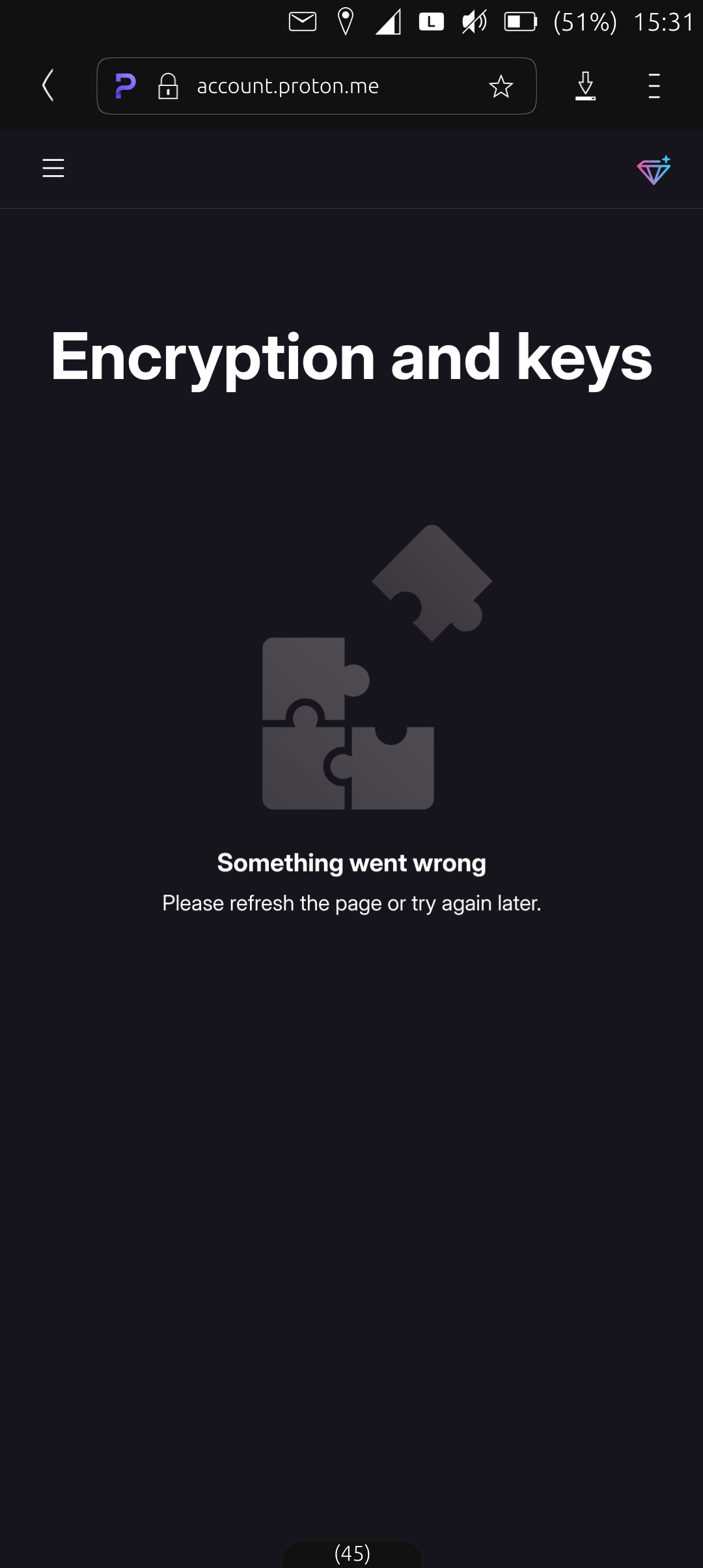
Paccount.proton.me
Encryption and keys
Image of a four piece jigsaw puzzle with one piece separate and askew.
Something went wrong
Please refresh the page or try again later. -
UPDATE: We've temporarily disabled the opt-in to this feature due to an unexpected issue in Proton Drive for Windows. The team is working on a fix and will re-enable it soon.
Proton Mail now supports post-quantum encryption. While quantum computers can’t break today’s encryption yet, preparing early matters. Data encrypted today could be targeted in the future.
You can enable post-quantum protection for new encrypted emails, on any plan, including free.
Learn more: https://proton.me/blog/introducing-post-quantum-encryption
@protonprivacy So which exactly iOS and Android apps version is adding support of this new feature?
-
Based on years of experience with @protonprivacy ... they take baby steps, to ensure nothing breaks. But they also give access to new features to users earlier as well. So if you want to join the fun earlier, you can opt-in.
Visionary users (not an available plan any more) gets access much earlier as well, and can often opt-in there too. When Proton opens up for opt-in at this stage, more publicly, they've decided to expand the scope further.
I expect that PQC will be enabled by default in 6-12 months - and then after some more time (2-5 years?) you can no longer create non-PQC keys at all manually.
Proton have far over 100 million users to care for. If something broke badly in the first transition, it would end up very bad for both Proton and all their users. This way they do more a controlled way of enabling new features while reducing the risks as well as lowering the consequences if something bad happens.
While I understand the annoyance of enabling it manually now, it the very end I'm pretty sure you'll see it will become the default with time.
@dazo @jo69 @protonprivacy also, in this specific case, enabling post-quantum also disables your previous recovery phrase.
Enabling it by default might make a user lose access to their account, if they don’t generate a new one after switching it. Which is less probable if it’s automatic; easier to ignore the warnings, etc.
-
UPDATE: We've temporarily disabled the opt-in to this feature due to an unexpected issue in Proton Drive for Windows. The team is working on a fix and will re-enable it soon.
Proton Mail now supports post-quantum encryption. While quantum computers can’t break today’s encryption yet, preparing early matters. Data encrypted today could be targeted in the future.
You can enable post-quantum protection for new encrypted emails, on any plan, including free.
Learn more: https://proton.me/blog/introducing-post-quantum-encryption
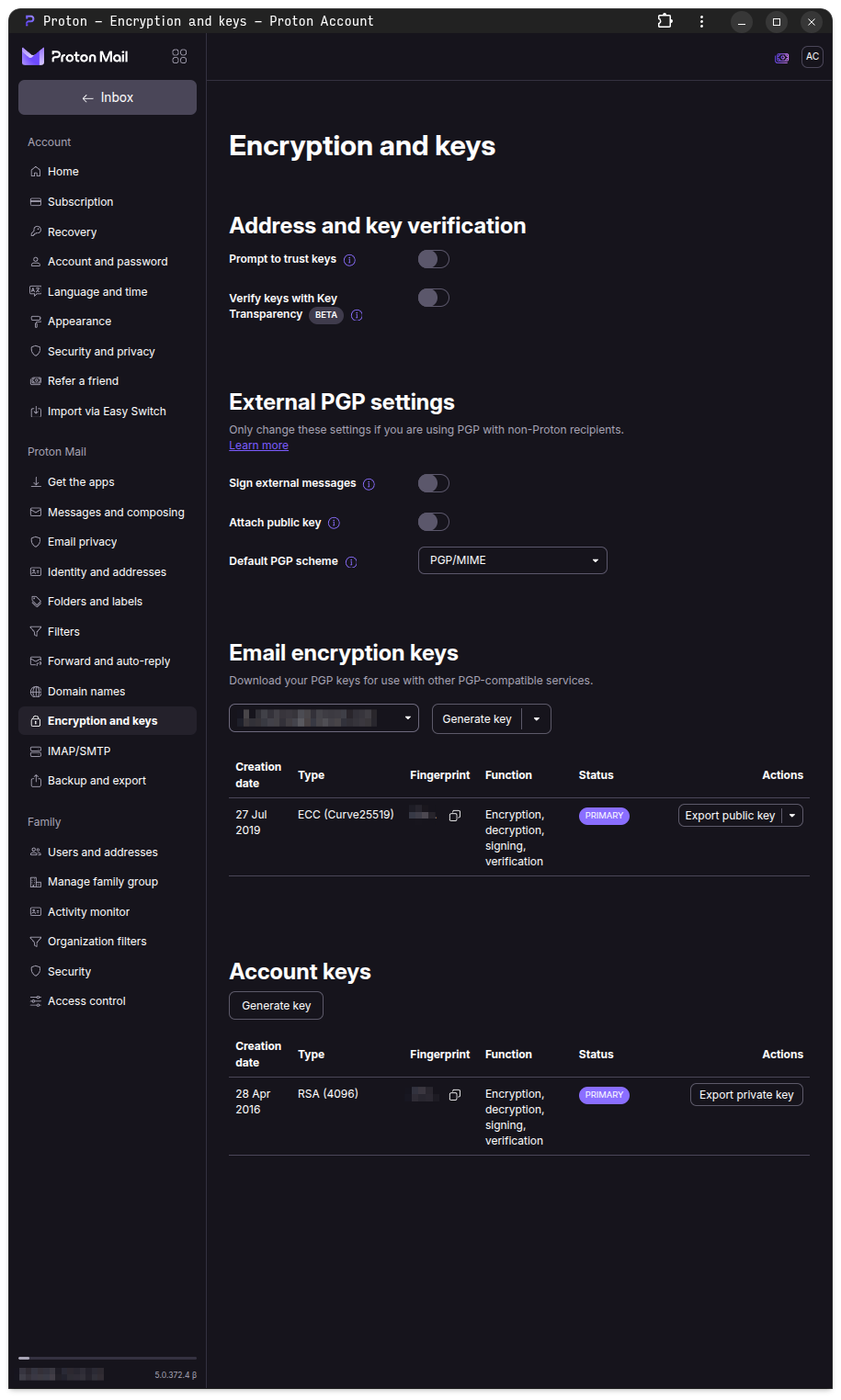
From "How to enable post-quantum protection in Proton Mail"[1]
> Enable post-quantum protection
> 1. Sign in to account.proton.me and open your account settings.
> 2. Select Encryption and keys from the sidebar.
> 3. Under Post-quantum protection, click Enable post-quantum protection.Where is the Post-quantum protection section?
[1] https://proton.me/support/mail-post-quantum-protection
-
@protonprivacy i am too dumb for this.
i mean i understand why rsa is secure atm because multiplying numbers is more easy than factorizing a product.
but hell, is there an eli5 on post quantum star trek what dafuq?!
@utf_7 @protonprivacy we know how to break apart multiplied numbers (RSA) quickly since the 90s, but so far the hardware to do that was theoretical. Recently multiple independent groups have made progress on improving the algorithm and improving the hardware. We're probably still years away, but transitions like these take decades, and we want data to be secure for at least a decade, too, so it is time to act.
-
From "How to enable post-quantum protection in Proton Mail"[1]
> Enable post-quantum protection
> 1. Sign in to account.proton.me and open your account settings.
> 2. Select Encryption and keys from the sidebar.
> 3. Under Post-quantum protection, click Enable post-quantum protection.Where is the Post-quantum protection section?
[1] https://proton.me/support/mail-post-quantum-protection
@AJCxZ0 yeah, on laptop i have same thing in site...









 haaha
haaha