Skip to content
  • Categories
  • Recent
  • Tags
  • Popular
  • World
  • Users
  • Groups
Skins
  • Light
  • Brite
  • Cerulean
  • Cosmo
  • Flatly
  • Journal
  • Litera
  • Lumen
  • Lux
  • Materia
  • Minty
  • Morph
  • Pulse
  • Sandstone
  • Simplex
  • Sketchy
  • Spacelab
  • United
  • Yeti
  • Zephyr
  • Dark
  • Cyborg
  • Darkly
  • Quartz
  • Slate
  • Solar
  • Superhero
  • Vapor

  • Default (Cyborg)
  • No Skin
Collapse
Brand Logo

CIRCLE WITH A DOT

  1. Home
  2. Uncategorized
  3. I got a label maker and had the strangest experience.

I got a label maker and had the strangest experience.

Scheduled Pinned Locked Moved Uncategorized
65 Posts 46 Posters 0 Views
  • Oldest to Newest
  • Newest to Oldest
  • Most Votes
Reply
  • Reply as topic
Log in to reply
This topic has been deleted. Only users with topic management privileges can see it.
  • soozcat@vmst.ioS soozcat@vmst.io

    @killick @malcircuit The other box is labeled POOPATORIUM 2: ELECTRIC POOP-A-LOO

    Waiting gleefully for my honey to notice

    soozcat@vmst.ioS This user is from outside of this forum
    soozcat@vmst.ioS This user is from outside of this forum
    soozcat@vmst.io
    wrote last edited by
    #50

    @killick @malcircuit HE NOTICED

    And yes, it took that long.

    He still hasn't seen the sequel.

    1 Reply Last reply
    0
    • malcircuit@thingy.socialM malcircuit@thingy.social

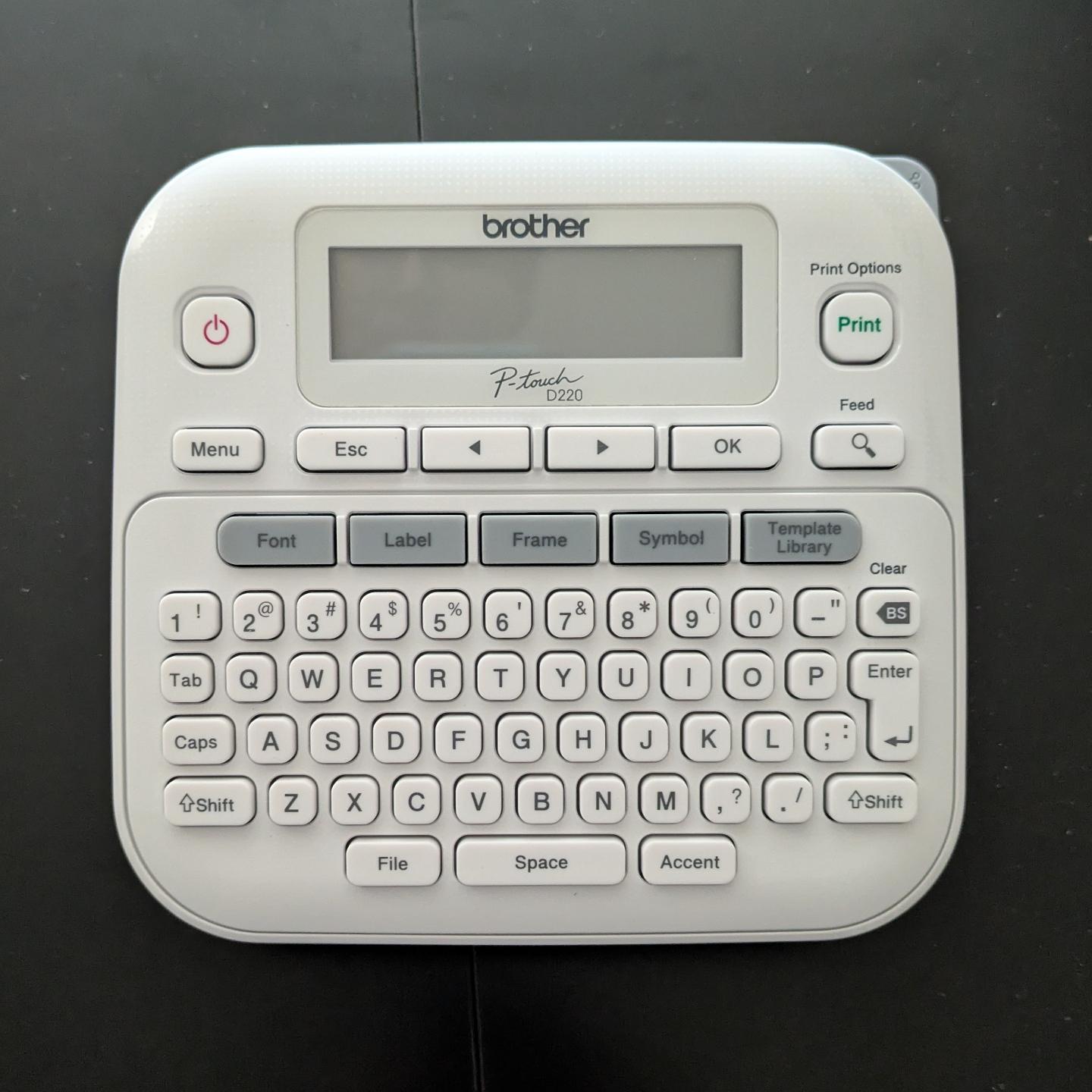
      I got a label maker and had the strangest experience. I opened the box, loaded the sample roll of label ribbon, inserted 6(!) AAA batteries, and it worked.

      No apps to download. No account to log into. No firmware updates. No pop-over "helpful tips" about how it's "now enabled with AI" or whatever.

      I just typed in the label I wanted and hit "print", and it did it. Astonishing. Nostalgic.
      Link Preview Image
      jonathanharker@cloudisland.nzJ This user is from outside of this forum
      jonathanharker@cloudisland.nzJ This user is from outside of this forum
      jonathanharker@cloudisland.nz
      wrote last edited by
      #51

      @malcircuit what a world we live in! This must be the future

      1 Reply Last reply
      0
      • soozcat@vmst.ioS soozcat@vmst.io

        @malcircuit @danni_storm The battery suck is not my favorite part, but I tend to batch-create labels when I can (print out an absurdly long label tape, cut it into smaller bits) and that seems to help.

        alyn@wandering.shopA This user is from outside of this forum
        alyn@wandering.shopA This user is from outside of this forum
        alyn@wandering.shop
        wrote last edited by
        #52

        @Soozcat
        I've found with my brother label printer (although a different model) that the batteries last an order of magnitude longer of they're taken out between uses.
        I think there's a constant drain when my device is turned off, so they'll be flat if I print one label and leave them in for a week, but they'll happily print five labels a month for a year if I remove them.
        @malcircuit @danni_storm

        1 Reply Last reply
        0
        • malcircuit@thingy.socialM malcircuit@thingy.social

          I got a label maker and had the strangest experience. I opened the box, loaded the sample roll of label ribbon, inserted 6(!) AAA batteries, and it worked.

          No apps to download. No account to log into. No firmware updates. No pop-over "helpful tips" about how it's "now enabled with AI" or whatever.

          I just typed in the label I wanted and hit "print", and it did it. Astonishing. Nostalgic.

          Link Preview Image
          vosje62@mastodon.nlV This user is from outside of this forum
          vosje62@mastodon.nlV This user is from outside of this forum
          vosje62@mastodon.nl
          wrote last edited by
          #53

          @malcircuit @bert_hubert some weeks ago I also had a strange experience. After 3-4 years not using it, I just powered it on, typed what I wanted and printed it!

          1 Reply Last reply
          0
          • fartnuggets@jorts.horseF fartnuggets@jorts.horse

            @malcircuit @tezoatlipoca

            Link Preview Image
            tubemeister@mstdn.socialT This user is from outside of this forum
            tubemeister@mstdn.socialT This user is from outside of this forum
            tubemeister@mstdn.social
            wrote last edited by
            #54

            @fartnuggets @malcircuit @tezoatlipoca Love the aesthetic of those, but they are work.

            1 Reply Last reply
            0
            • malcircuit@thingy.socialM malcircuit@thingy.social

              I got a label maker and had the strangest experience. I opened the box, loaded the sample roll of label ribbon, inserted 6(!) AAA batteries, and it worked.

              No apps to download. No account to log into. No firmware updates. No pop-over "helpful tips" about how it's "now enabled with AI" or whatever.

              I just typed in the label I wanted and hit "print", and it did it. Astonishing. Nostalgic.

              Link Preview Image
              tubemeister@mstdn.socialT This user is from outside of this forum
              tubemeister@mstdn.socialT This user is from outside of this forum
              tubemeister@mstdn.social
              wrote last edited by
              #55

              @malcircuit qwerty, even. Luxury.

              For some reason most label makers I’ve had (access to) have been alphabetical, and that’s a mental handbrake it turns out

              1 Reply Last reply
              0
              • malcircuit@thingy.socialM malcircuit@thingy.social

                I got a label maker and had the strangest experience. I opened the box, loaded the sample roll of label ribbon, inserted 6(!) AAA batteries, and it worked.

                No apps to download. No account to log into. No firmware updates. No pop-over "helpful tips" about how it's "now enabled with AI" or whatever.

                I just typed in the label I wanted and hit "print", and it did it. Astonishing. Nostalgic.

                Link Preview Image
                darksheeparts@mastoart.socialD This user is from outside of this forum
                darksheeparts@mastoart.socialD This user is from outside of this forum
                darksheeparts@mastoart.social
                wrote last edited by
                #56

                @malcircuit

                That's weird. Are you sure it's not broken?

                I'm sure they could install something to make it synch up with your fridge and serve ads for crypto if you complained...

                1 Reply Last reply
                0
                • tezoatlipoca@mas.toT tezoatlipoca@mas.to

                  @malcircuit

                  Brother is one of the last "makes things that just _work_." companies. And I have a similar model of Brother label maker.++
                  Their printers long were the holdouts vs. the HP style "disposable"/"subscription DRM ink" bullshit, though I've heard even Brother printers have gone that way.

                  ++ have you got to the "making labels for everything just because you have a label maker" phase? including "Please stop wasting the tape, adding labels to everything" ON the label maker itself?

                  __j5s7__@mastodon.social_ This user is from outside of this forum
                  __j5s7__@mastodon.social_ This user is from outside of this forum
                  __j5s7__@mastodon.social
                  wrote last edited by
                  #57

                  @tezoatlipoca @malcircuit Some months ago I decided to buy an ADF scanner made by Brother, because they have Linux support for a number of devices.

                  1 Reply Last reply
                  0
                  • malcircuit@thingy.socialM malcircuit@thingy.social

                    I got a label maker and had the strangest experience. I opened the box, loaded the sample roll of label ribbon, inserted 6(!) AAA batteries, and it worked.

                    No apps to download. No account to log into. No firmware updates. No pop-over "helpful tips" about how it's "now enabled with AI" or whatever.

                    I just typed in the label I wanted and hit "print", and it did it. Astonishing. Nostalgic.

                    Link Preview Image
                    magnetic_tape@infosec.exchangeM This user is from outside of this forum
                    magnetic_tape@infosec.exchangeM This user is from outside of this forum
                    magnetic_tape@infosec.exchange
                    wrote last edited by
                    #58

                    @malcircuit
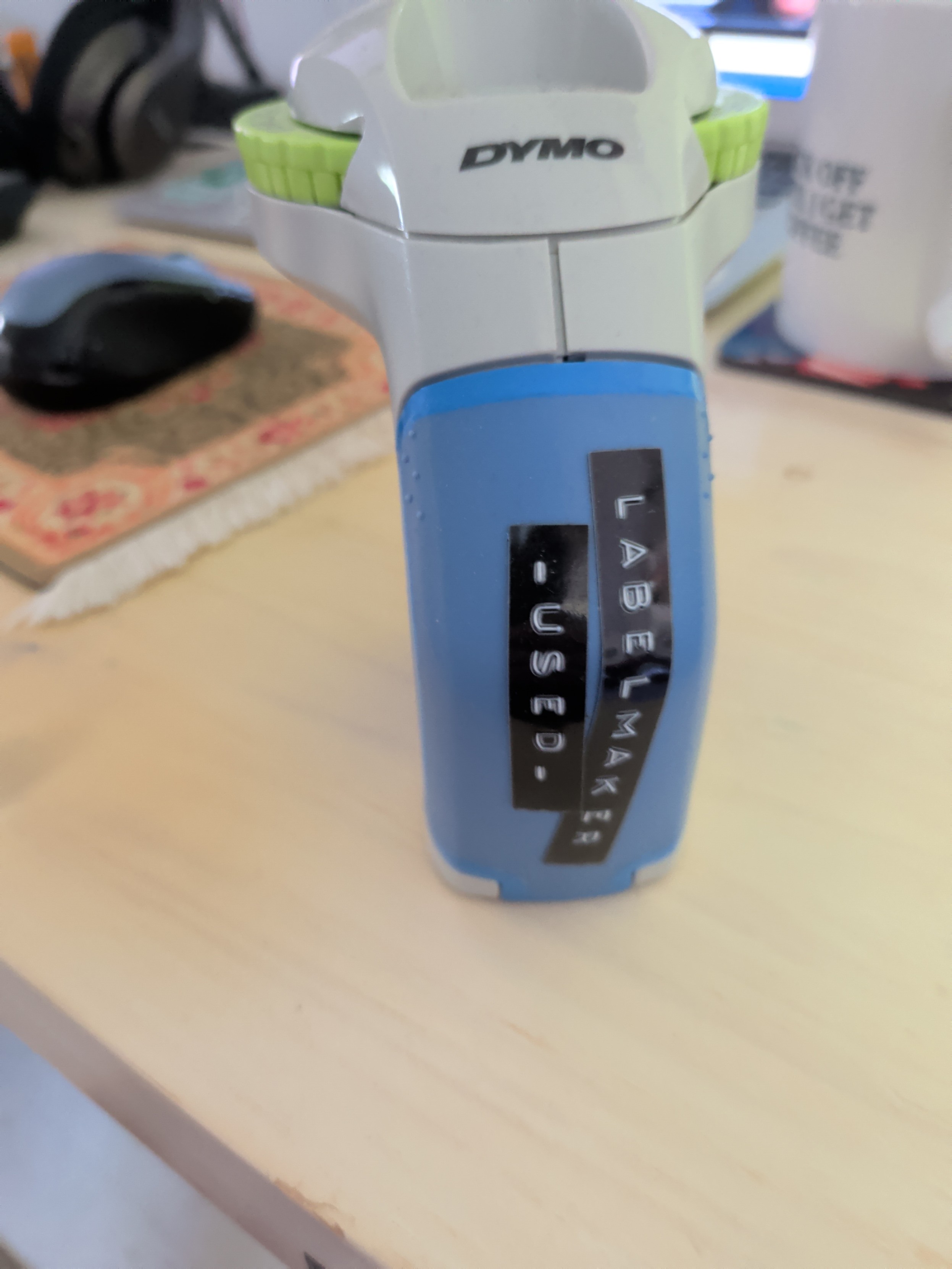
                    My trusty old Dymo label embosser is like that too. It's slower though but I see that as a Zen activity :~)

                    1 Reply Last reply
                    0
                    • schnedan@social.tchncs.deS This user is from outside of this forum
                      schnedan@social.tchncs.deS This user is from outside of this forum
                      schnedan@social.tchncs.de
                      wrote last edited by
                      #59

                      @tompearce49 @malcircuit my brother laser printer is from late 2004... still doing fine.

                      1 Reply Last reply
                      0
                      • malcircuit@thingy.socialM malcircuit@thingy.social

                        I got a label maker and had the strangest experience. I opened the box, loaded the sample roll of label ribbon, inserted 6(!) AAA batteries, and it worked.

                        No apps to download. No account to log into. No firmware updates. No pop-over "helpful tips" about how it's "now enabled with AI" or whatever.

                        I just typed in the label I wanted and hit "print", and it did it. Astonishing. Nostalgic.

                        Link Preview Image
                        schnedan@social.tchncs.deS This user is from outside of this forum
                        schnedan@social.tchncs.deS This user is from outside of this forum
                        schnedan@social.tchncs.de
                        wrote last edited by
                        #60

                        @malcircuit does it at least has bluetooth? 😉

                        1 Reply Last reply
                        0
                        • malcircuit@thingy.socialM malcircuit@thingy.social

                          I got a label maker and had the strangest experience. I opened the box, loaded the sample roll of label ribbon, inserted 6(!) AAA batteries, and it worked.

                          No apps to download. No account to log into. No firmware updates. No pop-over "helpful tips" about how it's "now enabled with AI" or whatever.

                          I just typed in the label I wanted and hit "print", and it did it. Astonishing. Nostalgic.

                          Link Preview Image
                          dzwiedziu@mastodon.socialD This user is from outside of this forum
                          dzwiedziu@mastodon.socialD This user is from outside of this forum
                          dzwiedziu@mastodon.social
                          wrote last edited by
                          #61

                          @malcircuit
                          I've also bought a Brother labeler and had the same experience!

                          (I maybe could got the version with an USB, to print barcodes. Linux has driver support for many models.)

                          Edit: maybe one caveat, my PT-E110 also uses AAA batteries, but guesstimating it could fit AA. Why IDK, but still I have a wall wart included.

                          @MelissaBearTrix

                          1 Reply Last reply
                          0
                          • lilfluff@mastodon.artL lilfluff@mastodon.art

                            @danni_storm @malcircuit I discovered that my brother labeler was compatible with a cheap guitar pedal DC power supply I picked up originally for a pedal (then when I decided to put together a pedal board I picked up a slightly more expensive multi-pedal per supply, only after I discovered the original worked for the labeler I misplaced it).

                            u0421793@toot.pikopublish.ingU This user is from outside of this forum
                            u0421793@toot.pikopublish.ingU This user is from outside of this forum
                            u0421793@toot.pikopublish.ing
                            wrote last edited by
                            #62

                            @LilFluff@mastodon.art @danni_storm@hachyderm.io @malcircuit@thingy.social that’s interesting, guitar pedals are the opposite polarity to almost everything else with a barrel-jack plug and socket these days for some evolutionary reason to which indubitably there’s a story behind.

                            1 Reply Last reply
                            0
                            • malcircuit@thingy.socialM malcircuit@thingy.social

                              I got a label maker and had the strangest experience. I opened the box, loaded the sample roll of label ribbon, inserted 6(!) AAA batteries, and it worked.

                              No apps to download. No account to log into. No firmware updates. No pop-over "helpful tips" about how it's "now enabled with AI" or whatever.

                              I just typed in the label I wanted and hit "print", and it did it. Astonishing. Nostalgic.

                              Link Preview Image
                              tregeagle@mastodon.sdf.orgT This user is from outside of this forum
                              tregeagle@mastodon.sdf.orgT This user is from outside of this forum
                              tregeagle@mastodon.sdf.org
                              wrote last edited by
                              #63

                              @malcircuit brilliant! I've wanted one of those things for years. If I can just label everything in my life then my impending dementia will hold no fear for me.

                              1 Reply Last reply
                              0
                              • theriac@plasmatrap.comT theriac@plasmatrap.com

                                @malcircuit@thingy.social
                                On the flip side I have a brother printer that doesn't understand colour profiles and only applies whatever one was loaded at the factory. For physical proofs I have to go back in time 30 - 40 years and make 2 versions of everything - a digital one in the colours I want and one so that hard copies are in the colours I want with heavy annotations in CYMK.

                                u0421793@toot.pikopublish.ingU This user is from outside of this forum
                                u0421793@toot.pikopublish.ingU This user is from outside of this forum
                                u0421793@toot.pikopublish.ing
                                wrote last edited by
                                #64

                                @Theriac@plasmatrap.com @malcircuit@thingy.social yes, Brother printers have absolutely no idea about colour accuracy whatsoever, I don’t know why the technical people keep banging on about ‘get a Brother laser printer’ and they’ll point to a mono laser, I mean what on earth use is a mono printer and I wouldn’t want to be sitting next to a laser printer anyway for health reasons. Sometimes I think the technical people have absolutely no originality and just copy what someone once said decades and decades ago when someone bought a Brother laser printer and never needed to check colour accuracy or print actual artwork on it, maybe they just needed to print a sign ‘back in 5 mins’ and it did that successfully and forever now we’re saddled with technical people parroting off that Brother are marvellous because it printed a black and white sheet of dubious typography.

                                1 Reply Last reply
                                0
                                • malcircuit@thingy.socialM malcircuit@thingy.social

                                  I got a label maker and had the strangest experience. I opened the box, loaded the sample roll of label ribbon, inserted 6(!) AAA batteries, and it worked.

                                  No apps to download. No account to log into. No firmware updates. No pop-over "helpful tips" about how it's "now enabled with AI" or whatever.

                                  I just typed in the label I wanted and hit "print", and it did it. Astonishing. Nostalgic.

                                  Link Preview Image
                                  weezmgk@mastodon.socialW This user is from outside of this forum
                                  weezmgk@mastodon.socialW This user is from outside of this forum
                                  weezmgk@mastodon.social
                                  wrote last edited by
                                  #65

                                  @malcircuit There's a P-Touch in the kitchen junk drawer. I keep a set of Sanyo Eneloop rechargeable batteries in it. I pull it out a couple of times a year. It always works.

                                  1 Reply Last reply
                                  0
                                  • R relay@relay.an.exchange shared this topic
                                  Reply
                                  • Reply as topic
                                  Log in to reply
                                  • Oldest to Newest
                                  • Newest to Oldest
                                  • Most Votes


                                  • Login

                                  • Login or register to search.
                                  • First post
                                    Last post
                                  0
                                  • Categories
                                  • Recent
                                  • Tags
                                  • Popular
                                  • World
                                  • Users
                                  • Groups