just learned that my colleagues rotate VS Code by 1 degree when you leave your laptop unattended
-
@merlin this should fix it
xrandr --output HDMI-1 --transform 0.99985,0.017452,0,-0.017452,0.99985,0,0,0,1
-
@TeflonTrout @merlin
This a longer story...My wife used to have an early laptop 25y back or longer, that developed a loose screen contact resulting in a narrow black line just next to the center of the screen.
After weeks i happened to notice the problem went away when I applied subtle pressure on the side of the screen bezel.
I then carefully opened the shell and squeezed some material between shell and screen to apply permanent pressure.
I then created a snapshot.
And edited the original black line into the picture which then became the new background...Diabolical, I LOVE that
-
just learned that my colleagues rotate VS Code by 1 degree when you leave your laptop unattended
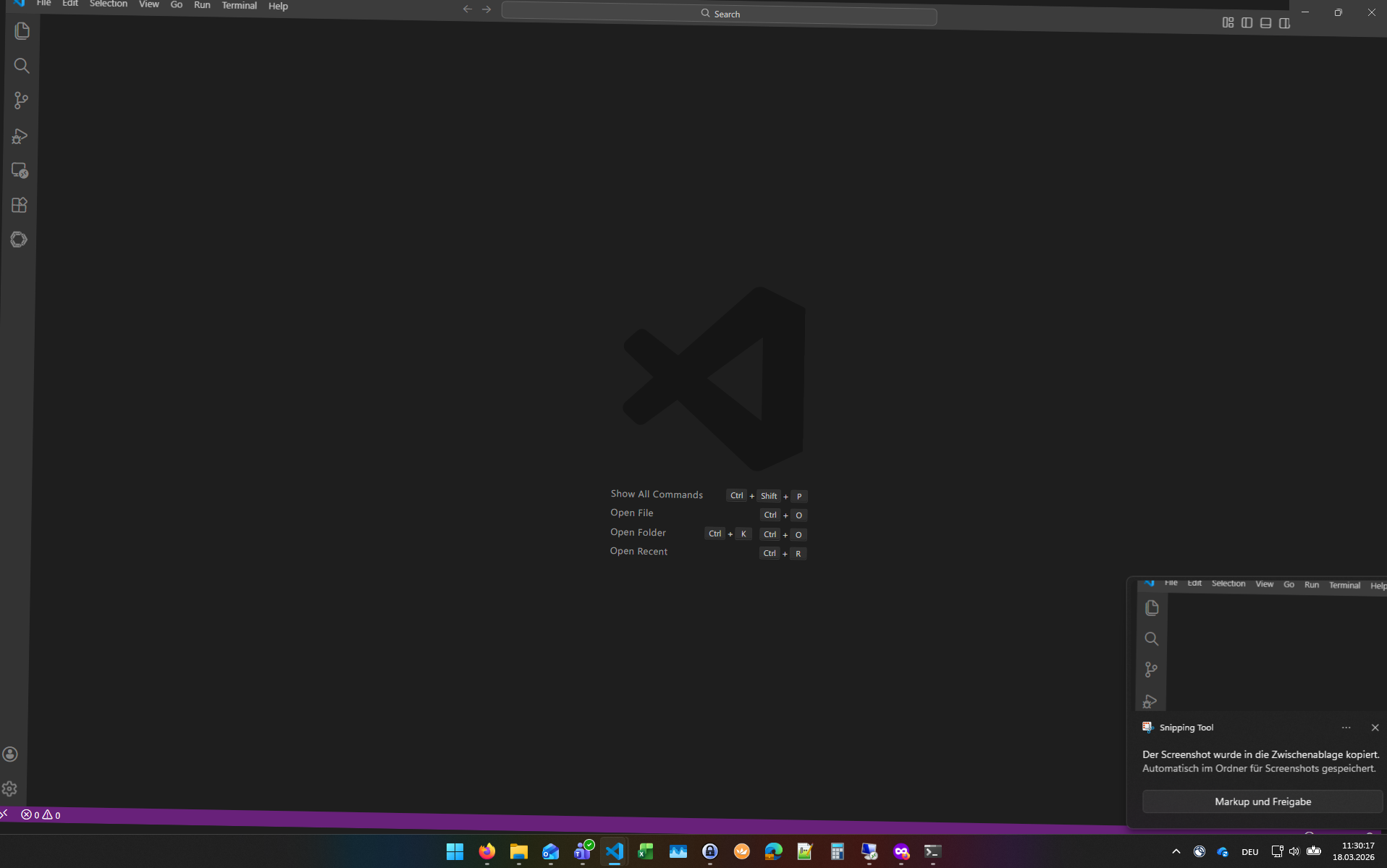
@merlin I just did this on my own copy, and it's REALLY ANNOYING ME even at 0.2deg, because it's subtle enough that the angle isn't immediately noticeable, but everything is immediately BLURRY and it feels like my eyes just aren't focusing on it!
Full 90/180 draw crisp and clean, tho. -
just learned that my colleagues rotate VS Code by 1 degree when you leave your laptop unattended
@merlin this is gonna be wonderfully subtle for the first few times
unlike one office I worked at where people found the "rotate everything 180 degrres" setting in windows ...
-
just learned that my colleagues rotate VS Code by 1 degree when you leave your laptop unattended
@merlin literally unhinged
-
-
@feonixrift Help > Open Developer Tools, find the body element and add rotate: 1deg to the CSS
@merlin @feonixrift I think it's like
body { transform: rotate(1deg); }Or for maximum chaos,
* { transform: rotate(1deg); } -
@merlin @feonixrift I think it's like
body { transform: rotate(1deg); }Or for maximum chaos,
* { transform: rotate(1deg); }@merlin @feonixrift successfully used this on my partner's laptop

-
That is the leveled up version of my old favorite:
1. screenshot desktop
2. set that as walpaper
3. delete all the icons from their desktop
@TeflonTrout @merlin To a former (non-tech) colleague who was always leaving her desktop unattended, I took a screenshot, mirrored it upside down, moved all the icons in a safe place, changed the desktop and mirrored her screen upside down (there's a keyboard shortcut for that). Her desktop was looking normal but the mouse going the wrong way and not being able to navigate menus made her panic, we quickly had to revert it

-
R relay@relay.infosec.exchange shared this topic