Linux brains…
-
Linux brains…
You know how MacOS creates a workspace when you make an app full screen, and you can gesture with three fingers between them… is there a Linux equivalent? It probably has a pretentious name, but I don’t store them in the ol’ melon.
Windows’ implementation is terrible. So that’s the baseline.
I’ve seen workspaces in Linux for decades now, but it’s been pretty clunky comparatively. I can’t tell you how productive this really simple interaction makes me.
Some of it is likely down to the MacBook touchpads being the gold standard, but I do have a Lenovo one that isn’t terrible.
There's the actual multiple workspaces thing that's been around forever - not exactly like the Mac version, but lets you easily flip between different desktops / screens full of windows / whatever.
I use Cinnamon, so once you configure multiple workspaces, you can switch with ctrl-alt-left-arrow and -right-arrow. I don't recall if the hotkeys are different in Gnome or KDE or whatever, and I haven't used those in a decade or more, so I'd probably be wrong anyway - but every desktop at least used to support the same thing.
-
@SecurityWriter That sounds handy... went looking. Touchegg appears to be what you're looking for
https://www.baeldung.com/linux/touchpad-gestures@musing_sys@social.fringesec.ca @SecurityWriter@infosec.exchange This looks very outdated. All functionality shown in the article is long since part of base gnome at this point.
-
@SecurityWriter Switchting between workspaces on GNOME works with the 3 finger gesture as well.
Do you mean something else? Something that MacOS does, that is more than switching between Workspaces?
@sheogorath yeah, MacOS makes full screen apps their own ‘workspaces’ but good to know the other piece is there.
-
@SecurityWriter oh, not having any reason to look previously... Linux Mint Cinnamon has it baked in apparently, just needs to be enabled
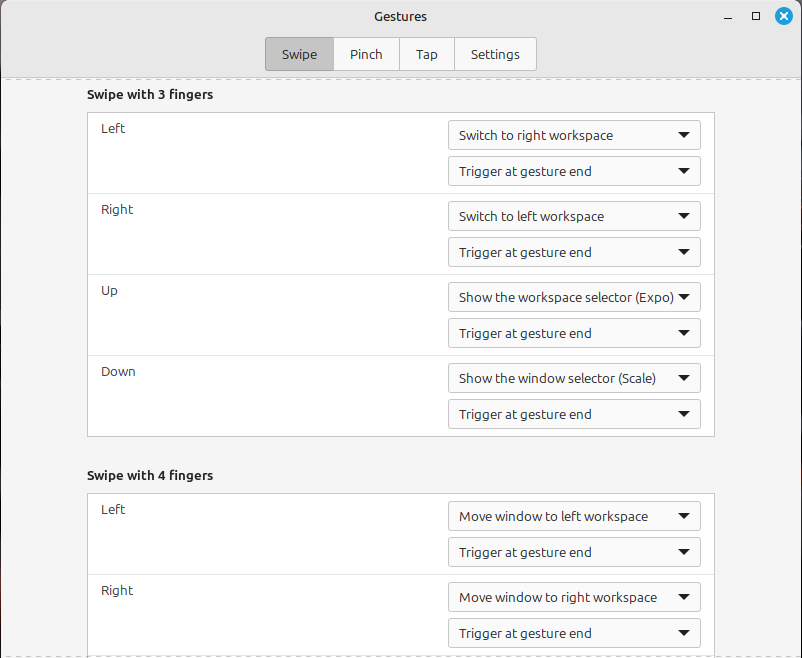
@musing_sys appreciated, I’ll have a look!
-
R relay@relay.infosec.exchange shared this topic