Skip to content
  • Categories
  • Recent
  • Tags
  • Popular
  • World
  • Users
  • Groups
Skins
  • Light
  • Brite
  • Cerulean
  • Cosmo
  • Flatly
  • Journal
  • Litera
  • Lumen
  • Lux
  • Materia
  • Minty
  • Morph
  • Pulse
  • Sandstone
  • Simplex
  • Sketchy
  • Spacelab
  • United
  • Yeti
  • Zephyr
  • Dark
  • Cyborg
  • Darkly
  • Quartz
  • Slate
  • Solar
  • Superhero
  • Vapor

  • Default (Cyborg)
  • No Skin
Collapse
Brand Logo

CIRCLE WITH A DOT

  1. Home
  2. Uncategorized
  3. in linux you can use the evil bird emoticon (:>) to destroy files, eg `:> important_document.txt`

in linux you can use the evil bird emoticon (:>) to destroy files, eg `:> important_document.txt`

Scheduled Pinned Locked Moved Uncategorized
35 Posts 27 Posters 0 Views
  • Oldest to Newest
  • Newest to Oldest
  • Most Votes
Reply
  • Reply as topic
Log in to reply
This topic has been deleted. Only users with topic management privileges can see it.
  • dakkar@s.thenautilus.netD dakkar@s.thenautilus.net

    @ChaosKitsune@woem.men https://www.gnu.org/software/bash/manual/bash.html#index-_003a

    the colon is a shell command that does nothing

    it's often used to perform expansions with side-effects, like:

    : ${ARGUMENT:=default value}
    : ${MUST_BE_SET:?error message}


    @rebane2001@infosec.exchange

    jcpandrade@mastodon.socialJ This user is from outside of this forum
    jcpandrade@mastodon.socialJ This user is from outside of this forum
    jcpandrade@mastodon.social
    wrote last edited by
    #15

    @dakkar @ChaosKitsune @rebane2001 also infinite cycles:

    while :
    do
    <whatever>
    Done

    dakkar@s.thenautilus.netD 1 Reply Last reply
    0
    • cenobyte@mastodon.thirring.orgC cenobyte@mastodon.thirring.org

      @rebane2001 This is awesome for clearing out files. Some log files when you're trying to isolate. Love learning new commands. Thank you!

      draeath@infosec.exchangeD This user is from outside of this forum
      draeath@infosec.exchangeD This user is from outside of this forum
      draeath@infosec.exchange
      wrote last edited by
      #16

      @cenobyte @rebane2001 I usually just use truncate or echo "" > whatever but this is a lot more terse. I like it.

      project1enigma@chaos.socialP 1 Reply Last reply
      0
      • jcpandrade@mastodon.socialJ jcpandrade@mastodon.social

        @dakkar @ChaosKitsune @rebane2001 also infinite cycles:

        while :
        do
        <whatever>
        Done

        dakkar@s.thenautilus.netD This user is from outside of this forum
        dakkar@s.thenautilus.netD This user is from outside of this forum
        dakkar@s.thenautilus.net
        wrote last edited by
        #17

        @jcpandrade@mastodon.social ha! I tend to do while true because it reads better to me
        (yes, I know that involves a fork+exec, but if we cared about speed we wouldn't be writing shell)
        @ChaosKitsune@woem.men @rebane2001@infosec.exchange

        jcpandrade@mastodon.socialJ 1 Reply Last reply
        0
        • chaoskitsune@woem.menC chaoskitsune@woem.men

          @rebane2001@infosec.exchange hmm I suppose thats because its writing nothing into the file but I dont understand the reason for the : (I mean yeah it does make the face but from a commands perspective I mean)

          Id assume it works without?

          Im guessing
          : is ignored or perhaps written into the file?

          odd@gts.oddware.netO This user is from outside of this forum
          odd@gts.oddware.netO This user is from outside of this forum
          odd@gts.oddware.net
          wrote last edited by
          #18

          @ChaosKitsune @rebane2001 : is a no-op with no output, which is then redirected to the file.
          See: https://stackoverflow.com/questions/3224878/what-is-the-purpose-of-the-colon-gnu-bash-builtin

          1 Reply Last reply
          0
          • dakkar@s.thenautilus.netD dakkar@s.thenautilus.net

            @jcpandrade@mastodon.social ha! I tend to do while true because it reads better to me
            (yes, I know that involves a fork+exec, but if we cared about speed we wouldn't be writing shell)
            @ChaosKitsune@woem.men @rebane2001@infosec.exchange

            jcpandrade@mastodon.socialJ This user is from outside of this forum
            jcpandrade@mastodon.socialJ This user is from outside of this forum
            jcpandrade@mastodon.social
            wrote last edited by
            #19

            @dakkar I used the true but... : is faster and easier to type... Just being lazy, I admit. @ChaosKitsune @rebane2001

            1 Reply Last reply
            0
            • rebane2001@infosec.exchangeR rebane2001@infosec.exchange

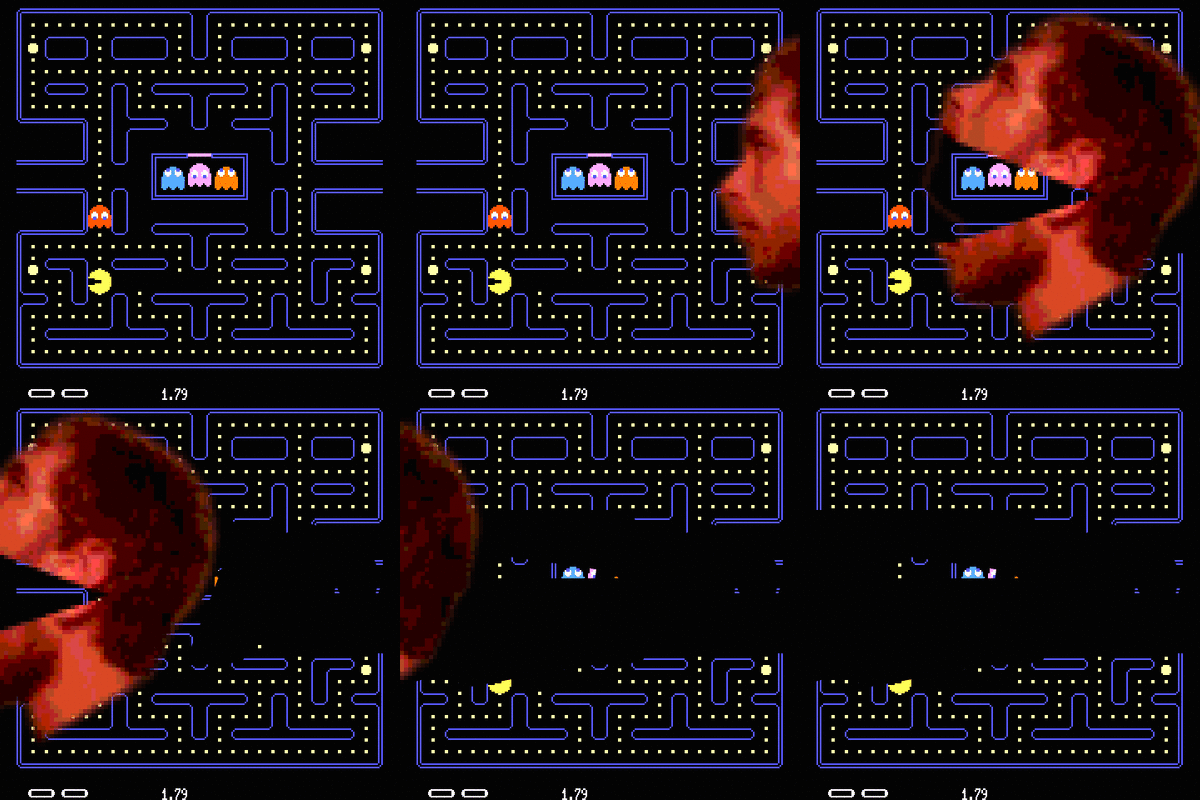
              in linux you can use the evil bird emoticon (:>) to destroy files, eg `:> important_document.txt`

              the bird will eat the file and leave it completely empty!

              bartholin@fops.cloudB This user is from outside of this forum
              bartholin@fops.cloudB This user is from outside of this forum
              bartholin@fops.cloud
              wrote last edited by
              #20
              @rebane2001 The nice bird is named sudo rm -rf /
              1 Reply Last reply
              0
              • benjaoming@social.data.coopB benjaoming@social.data.coop

                @rebane2001 it doesn't eat worms `~` โ“

                ```
                $ ๐Ÿ˜† ~
                bash: /home/user: Is a directory
                ```

                leeloo@c.imL This user is from outside of this forum
                leeloo@c.imL This user is from outside of this forum
                leeloo@c.im
                wrote last edited by
                #21

                @benjaoming @rebane2001
                ๐Ÿ˜† ./~

                1 Reply Last reply
                0
                • rebane2001@infosec.exchangeR rebane2001@infosec.exchange

                  in linux you can use the evil bird emoticon (:>) to destroy files, eg `:> important_document.txt`

                  the bird will eat the file and leave it completely empty!

                  lucypinder@mastodon.socialL This user is from outside of this forum
                  lucypinder@mastodon.socialL This user is from outside of this forum
                  lucypinder@mastodon.social
                  wrote last edited by
                  #22

                  @rebane2001 It's a cool fact

                  1 Reply Last reply
                  0
                  • chaoskitsune@woem.menC chaoskitsune@woem.men

                    @rebane2001@infosec.exchange hmm I suppose thats because its writing nothing into the file but I dont understand the reason for the : (I mean yeah it does make the face but from a commands perspective I mean)

                    Id assume it works without?

                    Im guessing
                    : is ignored or perhaps written into the file?

                    ralph@hear-me.socialR This user is from outside of this forum
                    ralph@hear-me.socialR This user is from outside of this forum
                    ralph@hear-me.social
                    wrote last edited by
                    #23

                    @ChaosKitsune @rebane2001

                    ':' returns 0 (meaning true). I just checked and '>' clears the file with no input. So, yes, the ':' is just decorative.

                    1 Reply Last reply
                    0
                    • rebane2001@infosec.exchangeR rebane2001@infosec.exchange

                      in linux you can use the evil bird emoticon (:>) to destroy files, eg `:> important_document.txt`

                      the bird will eat the file and leave it completely empty!

                      silo_bear@mastodon.socialS This user is from outside of this forum
                      silo_bear@mastodon.socialS This user is from outside of this forum
                      silo_bear@mastodon.social
                      wrote last edited by
                      #24

                      @rebane2001 :3

                      1 Reply Last reply
                      0
                      • rebane2001@infosec.exchangeR rebane2001@infosec.exchange

                        in linux you can use the evil bird emoticon (:>) to destroy files, eg `:> important_document.txt`

                        the bird will eat the file and leave it completely empty!

                        alesandroortiz@infosec.exchangeA This user is from outside of this forum
                        alesandroortiz@infosec.exchangeA This user is from outside of this forum
                        alesandroortiz@infosec.exchange
                        wrote last edited by
                        #25

                        @rebane2001 New "Press Alt+F4 to win" just dropped.

                        1 Reply Last reply
                        0
                        • rebane2001@infosec.exchangeR rebane2001@infosec.exchange

                          in linux you can use the evil bird emoticon (:>) to destroy files, eg `:> important_document.txt`

                          the bird will eat the file and leave it completely empty!

                          beckydog@hydaelyn.coerthansnowstorm.onlineB This user is from outside of this forum
                          beckydog@hydaelyn.coerthansnowstorm.onlineB This user is from outside of this forum
                          beckydog@hydaelyn.coerthansnowstorm.online
                          wrote last edited by
                          #26

                          @rebane2001 @astraluma

                          Thanks! Iโ€™ve learned AND cemented ๐Ÿ˜† as evil bird

                          1 Reply Last reply
                          0
                          • rebane2001@infosec.exchangeR rebane2001@infosec.exchange

                            in linux you can use the evil bird emoticon (:>) to destroy files, eg `:> important_document.txt`

                            the bird will eat the file and leave it completely empty!

                            T This user is from outside of this forum
                            T This user is from outside of this forum
                            tanavit@toot.aquilenet.fr
                            wrote last edited by
                            #27

                            @rebane2001

                            Very interesting. Never seen it in a long life of use of Unix.

                            Is there a "cheat sheet" of other unknown - at least by me ๐Ÿ™‚ - such "wild" characters for file redirection ?

                            rebane2001@infosec.exchangeR 1 Reply Last reply
                            0
                            • T tanavit@toot.aquilenet.fr

                              @rebane2001

                              Very interesting. Never seen it in a long life of use of Unix.

                              Is there a "cheat sheet" of other unknown - at least by me ๐Ÿ™‚ - such "wild" characters for file redirection ?

                              rebane2001@infosec.exchangeR This user is from outside of this forum
                              rebane2001@infosec.exchangeR This user is from outside of this forum
                              rebane2001@infosec.exchange
                              wrote last edited by
                              #28

                              @tanavit > is pretty well known and : is a shell built-in similar to true, it's just the combination of the two that's uncommon

                              T 1 Reply Last reply
                              0
                              • rebane2001@infosec.exchangeR rebane2001@infosec.exchange

                                @tanavit > is pretty well known and : is a shell built-in similar to true, it's just the combination of the two that's uncommon

                                T This user is from outside of this forum
                                T This user is from outside of this forum
                                tanavit@toot.aquilenet.fr
                                wrote last edited by
                                #29

                                @rebane2001

                                Thanks.

                                1 Reply Last reply
                                0
                                • chaoskitsune@woem.menC chaoskitsune@woem.men

                                  @rebane2001@infosec.exchange hmm I suppose thats because its writing nothing into the file but I dont understand the reason for the : (I mean yeah it does make the face but from a commands perspective I mean)

                                  Id assume it works without?

                                  Im guessing
                                  : is ignored or perhaps written into the file?

                                  mo@mastodon.mlM This user is from outside of this forum
                                  mo@mastodon.mlM This user is from outside of this forum
                                  mo@mastodon.ml
                                  wrote last edited by
                                  #30

                                  @ChaosKitsune it's a bash builtin
                                  $ help :
                                  :: :
                                  Null command.

                                  No effect; the command does nothing.

                                  Exit Status:
                                  Always succeeds.

                                  @rebane2001

                                  1 Reply Last reply
                                  0
                                  • draeath@infosec.exchangeD draeath@infosec.exchange

                                    @cenobyte @rebane2001 I usually just use truncate or echo "" > whatever but this is a lot more terse. I like it.

                                    project1enigma@chaos.socialP This user is from outside of this forum
                                    project1enigma@chaos.socialP This user is from outside of this forum
                                    project1enigma@chaos.social
                                    wrote last edited by
                                    #31

                                    @draeath @cenobyte @rebane2001

                                    With echo "" you don't make an empty file though. It's a file with one octet (newline) then.

                                    draeath@infosec.exchangeD 1 Reply Last reply
                                    0
                                    • project1enigma@chaos.socialP project1enigma@chaos.social

                                      @draeath @cenobyte @rebane2001

                                      With echo "" you don't make an empty file though. It's a file with one octet (newline) then.

                                      draeath@infosec.exchangeD This user is from outside of this forum
                                      draeath@infosec.exchangeD This user is from outside of this forum
                                      draeath@infosec.exchange
                                      wrote last edited by
                                      #32

                                      @project1enigma @cenobyte @rebane2001 true unless you pass the argument not to add that... But at that point things are getting silly and there's definitely better ways. But in most of the things I work with, a truly empty file and a file with only a newline in it are close enough to equivalent.

                                      1 Reply Last reply
                                      0
                                      • chaoskitsune@woem.menC chaoskitsune@woem.men

                                        @rebane2001@infosec.exchange hmm I suppose thats because its writing nothing into the file but I dont understand the reason for the : (I mean yeah it does make the face but from a commands perspective I mean)

                                        Id assume it works without?

                                        Im guessing
                                        : is ignored or perhaps written into the file?

                                        overeducatedredneck@bitbang.socialO This user is from outside of this forum
                                        overeducatedredneck@bitbang.socialO This user is from outside of this forum
                                        overeducatedredneck@bitbang.social
                                        wrote last edited by
                                        #33

                                        @ChaosKitsune @rebane2001 : is the null command in the POSIX shell standard. It's a built-in that outputs nothing and exits immediately with a status of zero (effectively the same as /bin/true).

                                        So the shell parses ':> afile' as "null command with output redirected to afile"

                                        1 Reply Last reply
                                        0
                                        • rebane2001@infosec.exchangeR rebane2001@infosec.exchange

                                          in linux you can use the evil bird emoticon (:>) to destroy files, eg `:> important_document.txt`

                                          the bird will eat the file and leave it completely empty!

                                          narfnra@mastodon.socialN This user is from outside of this forum
                                          narfnra@mastodon.socialN This user is from outside of this forum
                                          narfnra@mastodon.social
                                          wrote last edited by
                                          #34

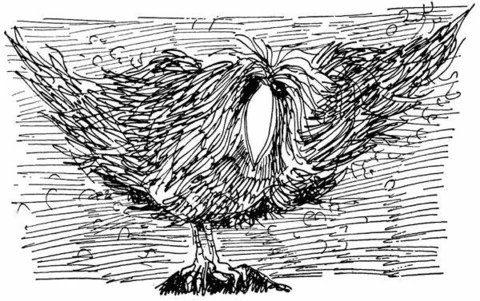
                                          @rebane2001 the everpresent word snatcher is real...
                                          Link Preview Image
                                          1 Reply Last reply
                                          0
                                          Reply
                                          • Reply as topic
                                          Log in to reply
                                          • Oldest to Newest
                                          • Newest to Oldest
                                          • Most Votes


                                          • Login

                                          • Login or register to search.
                                          • First post
                                            Last post
                                          0
                                          • Categories
                                          • Recent
                                          • Tags
                                          • Popular
                                          • World
                                          • Users
                                          • Groups