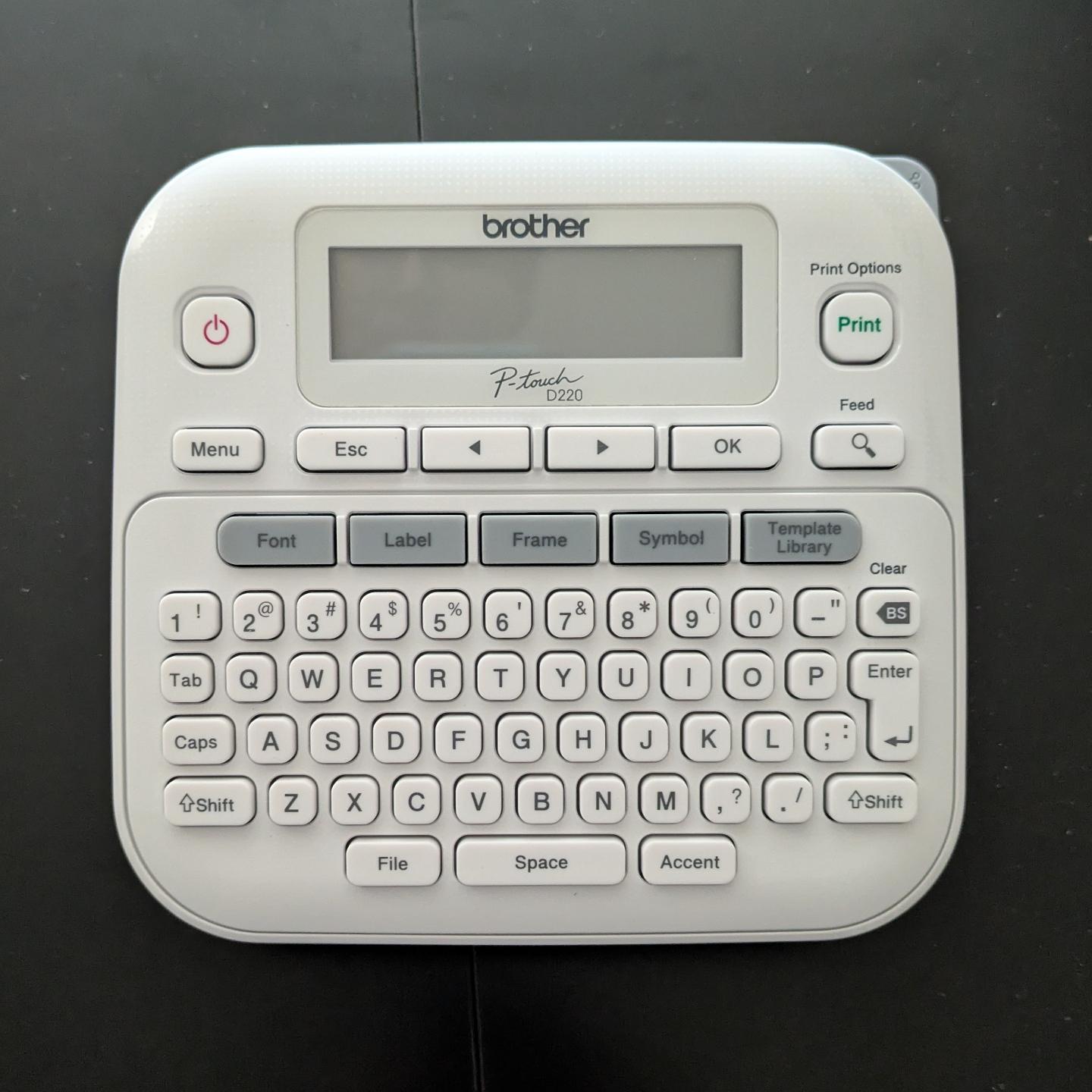
I got a label maker and had the strangest experience.
-
I got a label maker and had the strangest experience. I opened the box, loaded the sample roll of label ribbon, inserted 6(!) AAA batteries, and it worked.
No apps to download. No account to log into. No firmware updates. No pop-over "helpful tips" about how it's "now enabled with AI" or whatever.
I just typed in the label I wanted and hit "print", and it did it. Astonishing. Nostalgic.
@malcircuit Weird. Did it at least offer to let you join their mailing list? 🧐
-
I got a label maker and had the strangest experience. I opened the box, loaded the sample roll of label ribbon, inserted 6(!) AAA batteries, and it worked.
No apps to download. No account to log into. No firmware updates. No pop-over "helpful tips" about how it's "now enabled with AI" or whatever.
I just typed in the label I wanted and hit "print", and it did it. Astonishing. Nostalgic.
@malcircuit@thingy.social
On the flip side I have a brother printer that doesn't understand colour profiles and only applies whatever one was loaded at the factory. For physical proofs I have to go back in time 30 - 40 years and make 2 versions of everything - a digital one in the colours I want and one so that hard copies are in the colours I want with heavy annotations in CYMK. -
@malcircuit Wild. But surely you had to read and accept terms and conditions. Right?
@stefan Uh... I didn't even notice, but no. I powered it on and it was ready to print labels without it forcing me to accept a questionably binding legal contract. Something must be wrong with it.
-
I got a label maker and had the strangest experience. I opened the box, loaded the sample roll of label ribbon, inserted 6(!) AAA batteries, and it worked.
No apps to download. No account to log into. No firmware updates. No pop-over "helpful tips" about how it's "now enabled with AI" or whatever.
I just typed in the label I wanted and hit "print", and it did it. Astonishing. Nostalgic.
@malcircuit Had a technician’s label maker from them at work. Worked great. Should’ve kept it when I quit, because they don’t make that model any more
-
I got a label maker and had the strangest experience. I opened the box, loaded the sample roll of label ribbon, inserted 6(!) AAA batteries, and it worked.
No apps to download. No account to log into. No firmware updates. No pop-over "helpful tips" about how it's "now enabled with AI" or whatever.
I just typed in the label I wanted and hit "print", and it did it. Astonishing. Nostalgic.
@malcircuit I’ve had my P-touch for a good twenty years or more. It was one of the most useful Christmas presents my parents ever got me. It still works well and I had it out yesterday to label some suspended files.
-
I got a label maker and had the strangest experience. I opened the box, loaded the sample roll of label ribbon, inserted 6(!) AAA batteries, and it worked.
No apps to download. No account to log into. No firmware updates. No pop-over "helpful tips" about how it's "now enabled with AI" or whatever.
I just typed in the label I wanted and hit "print", and it did it. Astonishing. Nostalgic.
@malcircuit Pretty sure we have the same label maker. My only complaint is the battery life. I use high capacity AAA rechargeable batteries and still it burns through juice. Otherwise yeah, it's dead simple and just works. Brother makes a companion computer app a friend insisted on trying. It was interesting but not worth the headache of introducing modern enshittification into something as simple as printing labels. Labels are my safe space to let my organization compulsion to run free. Not another thing to troubleshoot.
-
@malcircuit Pretty sure we have the same label maker. My only complaint is the battery life. I use high capacity AAA rechargeable batteries and still it burns through juice. Otherwise yeah, it's dead simple and just works. Brother makes a companion computer app a friend insisted on trying. It was interesting but not worth the headache of introducing modern enshittification into something as simple as printing labels. Labels are my safe space to let my organization compulsion to run free. Not another thing to troubleshoot.
@danni_storm Yeah, I definitely have mixed feelings about using AAA batteries. Thanks for letting me know it burns through them quickly. I'll have to make sure to buy a bunch of rechargeable ones.
-
@tezoatlipoca I'm at the "got a label maker 6 months ago as a gift (that I asked for) and forgot about it until I encountered a situation that would benefit from a thing having a label" phase lol

I suspect now that I have it working, I might enter that "label everything unnecessarily, including the label maker itself" phase shortly lol
-
@danni_storm Yeah, I definitely have mixed feelings about using AAA batteries. Thanks for letting me know it burns through them quickly. I'll have to make sure to buy a bunch of rechargeable ones.
@malcircuit On closer look I think yours is a slightly different model. I am not surprised it goes through batteries quickly as it's doing quite a bit for AAAs. I prefer easily replaceable options though so I'll live with the AAA experience. Do note that when the battery dies, your current text/font settings are lost. Happened a couple of times to me before I realized what was going on.
-
I got a label maker and had the strangest experience. I opened the box, loaded the sample roll of label ribbon, inserted 6(!) AAA batteries, and it worked.
No apps to download. No account to log into. No firmware updates. No pop-over "helpful tips" about how it's "now enabled with AI" or whatever.
I just typed in the label I wanted and hit "print", and it did it. Astonishing. Nostalgic.
@malcircuit
They'll fix that in the next model. -
@tezoatlipoca I'm at the "got a label maker 6 months ago as a gift (that I asked for) and forgot about it until I encountered a situation that would benefit from a thing having a label" phase lol
I suspect now that I have it working, I might enter that "label everything unnecessarily, including the label maker itself" phase shortly lol
@malcircuit @tezoatlipoca My phase has been over a year long. I'm starting to think it's not a phase for me lol
-
I got a label maker and had the strangest experience. I opened the box, loaded the sample roll of label ribbon, inserted 6(!) AAA batteries, and it worked.
No apps to download. No account to log into. No firmware updates. No pop-over "helpful tips" about how it's "now enabled with AI" or whatever.
I just typed in the label I wanted and hit "print", and it did it. Astonishing. Nostalgic.
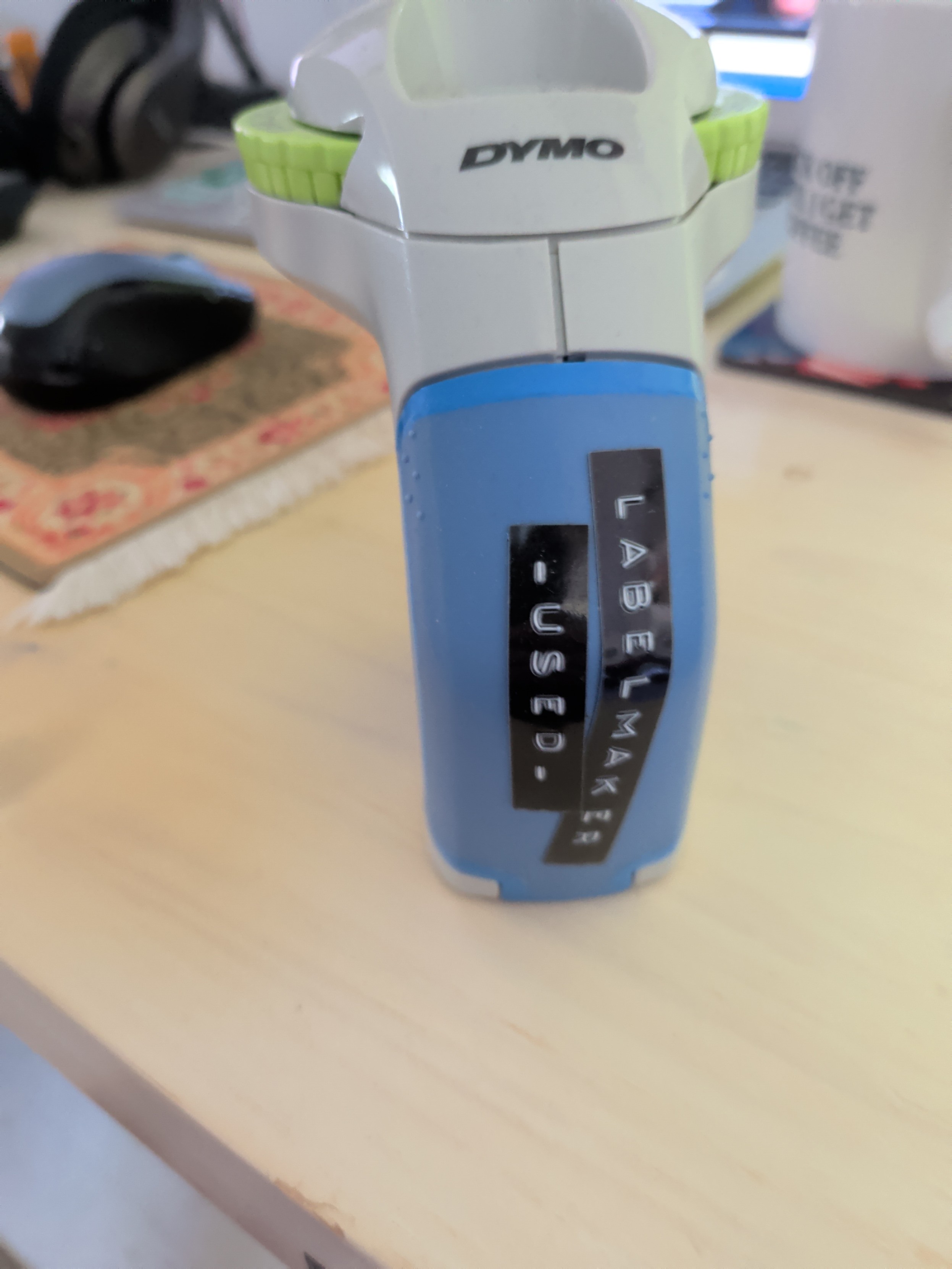
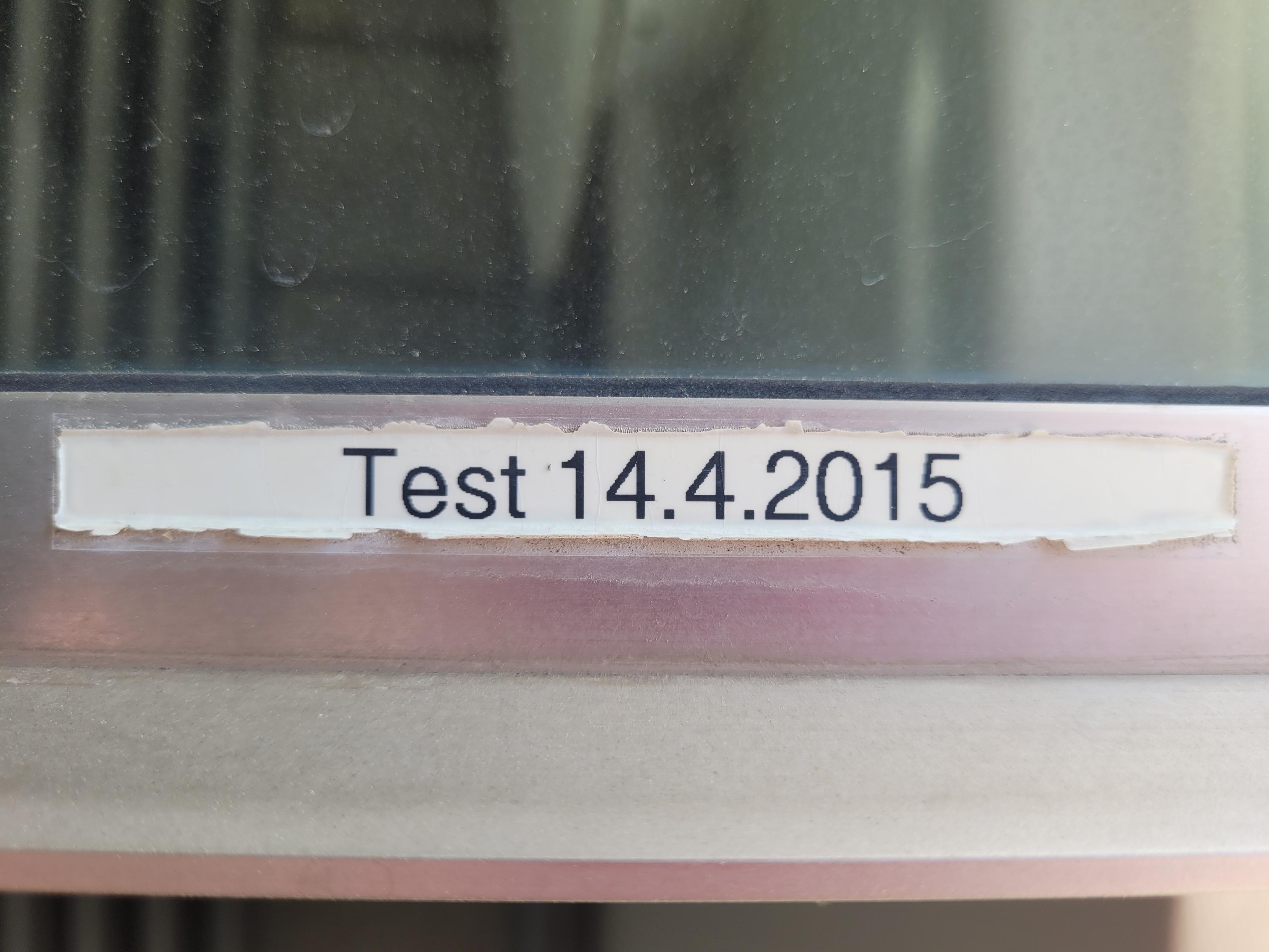
@malcircuit Bonus: the labels are quite durable. This is a photo of a label on the outside of a south-facing window frame. So it gets blasted by sun and rain. Still readable after 11 years.
-
R relay@relay.mycrowd.ca shared this topic
-
I got a label maker and had the strangest experience. I opened the box, loaded the sample roll of label ribbon, inserted 6(!) AAA batteries, and it worked.
No apps to download. No account to log into. No firmware updates. No pop-over "helpful tips" about how it's "now enabled with AI" or whatever.
I just typed in the label I wanted and hit "print", and it did it. Astonishing. Nostalgic.
I love labelmakers, and still use them for every bin I have tucked away in the house. And they work so well...
-
I got a label maker and had the strangest experience. I opened the box, loaded the sample roll of label ribbon, inserted 6(!) AAA batteries, and it worked.
No apps to download. No account to log into. No firmware updates. No pop-over "helpful tips" about how it's "now enabled with AI" or whatever.
I just typed in the label I wanted and hit "print", and it did it. Astonishing. Nostalgic.
@malcircuit Shockingly pleasurable isn't it?
-
I like how I post about an unapologetically "dumb tech" device and everyone starts boosting it.
RETVRN
@malcircuit I think about what you could’ve done with an AI subscription for your printer.


Btw: I love my label printer too. Great device -
I got a label maker and had the strangest experience. I opened the box, loaded the sample roll of label ribbon, inserted 6(!) AAA batteries, and it worked.
No apps to download. No account to log into. No firmware updates. No pop-over "helpful tips" about how it's "now enabled with AI" or whatever.
I just typed in the label I wanted and hit "print", and it did it. Astonishing. Nostalgic.
I have one of those I bought at least 10 years ago. I use it maybe once or twice a year. It … just … works. And if it doesn’t it just needs new batteries.
-
@tezoatlipoca I'm at the "got a label maker 6 months ago as a gift (that I asked for) and forgot about it until I encountered a situation that would benefit from a thing having a label" phase lol
I suspect now that I have it working, I might enter that "label everything unnecessarily, including the label maker itself" phase shortly lol
I had that phase with masking tape and sharpie
-
I got a label maker and had the strangest experience. I opened the box, loaded the sample roll of label ribbon, inserted 6(!) AAA batteries, and it worked.
No apps to download. No account to log into. No firmware updates. No pop-over "helpful tips" about how it's "now enabled with AI" or whatever.
I just typed in the label I wanted and hit "print", and it did it. Astonishing. Nostalgic.
@malcircuit That reminds me of my Franklin digital thesaurus in high school. It hinted at what laptops might look like and was the most clear and useful thesaurus I have ever used. The online ones seem to be getting worse. It had one job and it did it extremely well. Without updates, TOS, or subscriptions.
-
I got a label maker and had the strangest experience. I opened the box, loaded the sample roll of label ribbon, inserted 6(!) AAA batteries, and it worked.
No apps to download. No account to log into. No firmware updates. No pop-over "helpful tips" about how it's "now enabled with AI" or whatever.
I just typed in the label I wanted and hit "print", and it did it. Astonishing. Nostalgic.
@malcircuit cmon! You need at least cloud backup for your labels?!!!

-
@malcircuit Pretty sure we have the same label maker. My only complaint is the battery life. I use high capacity AAA rechargeable batteries and still it burns through juice. Otherwise yeah, it's dead simple and just works. Brother makes a companion computer app a friend insisted on trying. It was interesting but not worth the headache of introducing modern enshittification into something as simple as printing labels. Labels are my safe space to let my organization compulsion to run free. Not another thing to troubleshoot.
@danni_storm @malcircuit I got (perhaps a more expensive one) with a 220 source specifically to not be reliant on batteries when using it rarely. Same manufacturer.
Maybe they have a "battery pack" that fits in the compartment and feeds from power outlets?