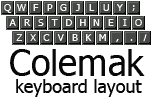
Should I start out with vanilla #emacs , #doomemacs, #spacemacs or some other flavor?
-
Should I start out with vanilla #emacs , #doomemacs, #spacemacs or some other flavor? More importantly: why.
Notes: 40% Colemak layout user. Coming from VSCodeium as main editor. I would want to go full Emacs eventually.
@hell@defcon.social I support vanilla Emacs for reasons others have already mentioned, but just for the lulz I'm going to mention my little project - a simple Emacs configuration that tries to mimic VSCode and even succeeds a little bit

IDEmacs
IDEmacs - Making Emacs beginner-friendly, via configurations that emulate mainstream IDEs

Codeberg.org (codeberg.org)
-
@hell i would recommend a vanilla emacs, perhaps starting with a minimal starter config like https://codeberg.org/ashton314/emacs-bedrock or similar (there are a few, i haven't tried any). minimal helpers often enable very helpful discoverability and basic usability features. going vanilla without them will probably just mean you spend a year finding out about them or wishing they existed (happened to me!). such helpers also help you learn how things work a little quicker too i think. enjoy the ride.
@mousebot that sounds like it might be the way to go.
Really would I want something that can hold my hand but at the same time teach me and encourage me to do it myself. Like if when I started using Linux I would have wanted something that showed me the bash commands for what i was doing, like if i rightclick "new folder" it'd show me "mkdir newfolder".
-
@hell if you're prepared to go down this rabbit hole, it's best to learn to use vanilla emacs and, importantly, to build your config with ELisp - that's where the real value lies. If you're just looking for a different IDE like experience without crafting it, then Doom emacs would be the way but, frankly, there's little point in doing that in my opinion - everything that makes emacs special lives in taking control yourself.
@tealeg no, own config is where I want to end up - but would be neat to be able to have some help on the way and have an environment that I feel encouraged to use while getting there^^
-
@novet well.. that I suppose. An integrated, relatively lightweight environment where I can do most things without having to either remove my hand from homerow or go into mouse-mode on my kbd..
Vi-likes have had a pull for sure, I guess the main reason I never got into using one is that it just seems very contradictory. Like people talking about effectiveness but at the same time using a software that seem to be very qwerty focused in its base layout.. I guess also because it seems like most vi-like people I talk to seem to be people who will scoff at modern IDEs for being user friendly.. not saying that is everyone but yea, it is the ones I seem to tend to run in to^^
@hell i know what you mean about some vim users lol. it does feel a bit cultish at times.
unfortunately i don't have time to learn another keyboard layout right now and i type QWERTY quick enough. how does emacs do with non-QWERTY layouts? the, perhaps unfortunate, state of vim is that there is _probably_ a plugin for remapping stuff for different layouts, but if you ask someone else how they did something, they'll likely just give you the motions in QWERTY.
vim (once you learn it) is pretty good at removing the need to use a mouse. there are plugins for loads of things to use vim keybinds which is also handy. however it doesn't really come batteries-included (though, neovim is working on it with native LSP and package manager).
i should probably try emacs at some point for fun. did recently try an editor called "ki" which seems to have keyboard-layout agnostic binds and operates on the syntax tree rather than just lines which is pretty cool. unfortunately there was no "getting started" tutorial or transition guide for vim or emacs users.
-
R relay@relay.infosec.exchange shared this topic
-
@hell so many good suggestions here, so I'll just chime in to say be prepared for your emacs journey not to be linear. let's say you start vanilla, but it's frustrating, so you give up or jump to a big distro, but that feels like too much, and on it goes. I've broken up with and returned to emacs several times. Currently using emacs-bedrock as @mousebot shared. There's a lot of value in learning what the capabilities are before settling on something that works for you. Most important: have fun
@blackerby neato! so bedrock is like a sensible-minimal?
-
@mousebot that sounds like it might be the way to go.
Really would I want something that can hold my hand but at the same time teach me and encourage me to do it myself. Like if when I started using Linux I would have wanted something that showed me the bash commands for what i was doing, like if i rightclick "new folder" it'd show me "mkdir newfolder".
@hell yeah i think one of the main issues with learning is knowing what you want to achieve but not knowing the emacs name for it. i didn't use such a helper because i didn't know about them when i started, but if starting now it's what i would do. avoid 20 or so confusions/pain-points (there are various things that ought to be default settings that are not, for stupid reasons), then do at least some of the tutorial and web search a bunch of stuff as you need it. also, as people often repeat, take it slow, add things to your set up / things that you do w emacs, gradually. (and have fun! maybe i'm crazy but i had tonnes of fun learning emacs.)
another way might be to copy other people's configs, but i think those helper type kits are often distilled from doing that.
man such a right-click facility for linux or similar would be amazingly empowering!
-
I recommend starting with the vanilla, emex, and a prepared configuration. Bedrock has already been mentioned. Another one would be the ones of system crafters. Systemcrafters also provide quite interesting videos.
Don't get mad about this being a rabbit hole or you have to learn elisp. These prepared configurations help a lot and you can easily customize them with barely no knowledge about Elisp (beside syntax basics).
@hell@kirschwipfel I mean I expect a rabbit hole - but I do hope to have an experience that makes it worthwhile enough that I dont give up

I thought things like doom was little more than a preconfig? What is system crafters?
-
@blackerby neato! so bedrock is like a sensible-minimal?
@hell yes, and very slightly opinionated, so as your tastes change, bedrock is easy to tweak. it's really well documented too.
-
@hell i know what you mean about some vim users lol. it does feel a bit cultish at times.
unfortunately i don't have time to learn another keyboard layout right now and i type QWERTY quick enough. how does emacs do with non-QWERTY layouts? the, perhaps unfortunate, state of vim is that there is _probably_ a plugin for remapping stuff for different layouts, but if you ask someone else how they did something, they'll likely just give you the motions in QWERTY.
vim (once you learn it) is pretty good at removing the need to use a mouse. there are plugins for loads of things to use vim keybinds which is also handy. however it doesn't really come batteries-included (though, neovim is working on it with native LSP and package manager).
i should probably try emacs at some point for fun. did recently try an editor called "ki" which seems to have keyboard-layout agnostic binds and operates on the syntax tree rather than just lines which is pretty cool. unfortunately there was no "getting started" tutorial or transition guide for vim or emacs users.
@novet for the mouse use with vim, I mean, you dont need to use it in the editor but if you still need to alt-tab into a software that is primarily meant to be used with one mouse - you catch my drift^^?
As for switching layout, I gain nothing from convincing you, so I am not really pushing it.. THAT SAID, takes about two weeks to match type speed on Colemak if you go cold turky then it is all uphill. But Colemak is also built in such manner that you do not need to go cold turkey - you can swap a keypair at a time. I do advise you to at least look at it. Imo just read thru their amazing faq (that also btw tends to answer every single question and objection that people throw at me)
legit - its not very long and quite interesting - I recommend giving it a read even if you dont intend or end up switching

-
@rxf4e1 think it would make sense to have both? is it possible without compartmentalization? sorta run doom and copy what makes sense..
@hell you can use both with something like chemacs and unless you know what you are doing, copy and paste won't work cuz doomemacs has a lot custom things.
-
@hell yeah i think one of the main issues with learning is knowing what you want to achieve but not knowing the emacs name for it. i didn't use such a helper because i didn't know about them when i started, but if starting now it's what i would do. avoid 20 or so confusions/pain-points (there are various things that ought to be default settings that are not, for stupid reasons), then do at least some of the tutorial and web search a bunch of stuff as you need it. also, as people often repeat, take it slow, add things to your set up / things that you do w emacs, gradually. (and have fun! maybe i'm crazy but i had tonnes of fun learning emacs.)
another way might be to copy other people's configs, but i think those helper type kits are often distilled from doing that.
man such a right-click facility for linux or similar would be amazingly empowering!
@mousebot - I wonder if there is one.. I feel like most times one need something someone else has needed it before.. I should investigate!!
and I mean.. I do think things are fun to thinker with. I run my own Colemak version that Ive put a ton of work into perfecting (for my personal use, now with elisp for example I see that I will probably need to add the ' (the leaning one - which my mastodon client wont even allow me to write apparently). figuring out what I want in the keyboard, what I want OS level and what in Emacs is also gonna be fun! I really need to build a cyberdeck - it annoys me so much that my laptop keyboard isnt ortholiner!
-
@hell you can use both with something like chemacs and unless you know what you are doing, copy and paste won't work cuz doomemacs has a lot custom things.
@rxf4e1 what is chemacs?
Not sure if I meant copy paste in the literal sense but fair enough
-
@tealeg no, own config is where I want to end up - but would be neat to be able to have some help on the way and have an environment that I feel encouraged to use while getting there^^
@hell there are various repositories out there with some minimal emacs configurations that might be a good starting point. The problem with Doom/Spacemacs is that they hand you a big codebase - you then have to learn their way of doing things that’s an abstraction. It’s like trying to learn JavaScript by working in React - it might wind up in a useful place, but I’ve kind of painted yourself into a corner.
-
@hell there are various repositories out there with some minimal emacs configurations that might be a good starting point. The problem with Doom/Spacemacs is that they hand you a big codebase - you then have to learn their way of doing things that’s an abstraction. It’s like trying to learn JavaScript by working in React - it might wind up in a useful place, but I’ve kind of painted yourself into a corner.
@tealeg ew lol. well, people have been recommending bedrock - it seems like a decent path
-
@rxf4e1 what is chemacs?
Not sure if I meant copy paste in the literal sense but fair enough
@hell its a profile switcher
https://github.com/plexus/chemacs2
there is some videos from systemcraft that helps a lot on building your own config, and also some awesome speaks from protesilaos about many topics, both worth have a look. -
@hell its a profile switcher
https://github.com/plexus/chemacs2
there is some videos from systemcraft that helps a lot on building your own config, and also some awesome speaks from protesilaos about many topics, both worth have a look.@rxf4e1 thank you! btw I did follow this tutorial
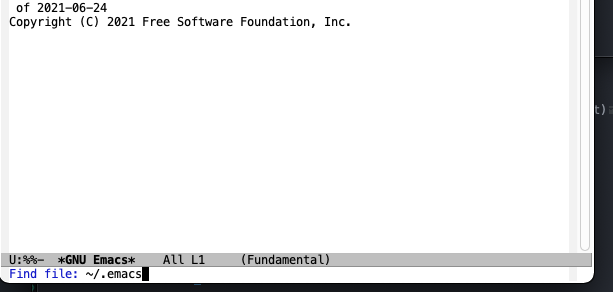
Your first taste of emacs — Shane Kennedy
See why emacs users are diehards when it comes to their editor with a quick intro, guided configuration and quick start on editing in your first project.

(www.shaneikennedy.xyz)
-
@hell yeah i think one of the main issues with learning is knowing what you want to achieve but not knowing the emacs name for it. i didn't use such a helper because i didn't know about them when i started, but if starting now it's what i would do. avoid 20 or so confusions/pain-points (there are various things that ought to be default settings that are not, for stupid reasons), then do at least some of the tutorial and web search a bunch of stuff as you need it. also, as people often repeat, take it slow, add things to your set up / things that you do w emacs, gradually. (and have fun! maybe i'm crazy but i had tonnes of fun learning emacs.)
another way might be to copy other people's configs, but i think those helper type kits are often distilled from doing that.
man such a right-click facility for linux or similar would be amazingly empowering!
@mousebot I followed this tutorial btw, how would you say it holds up vs bedrock?
Your first taste of emacs — Shane Kennedy
See why emacs users are diehards when it comes to their editor with a quick intro, guided configuration and quick start on editing in your first project.
(www.shaneikennedy.xyz)
-
@rxf4e1 thank you! btw I did follow this tutorial
Your first taste of emacs — Shane Kennedy
See why emacs users are diehards when it comes to their editor with a quick intro, guided configuration and quick start on editing in your first project.
(www.shaneikennedy.xyz)
@hell alright, its a good one, i would change some packages like ivy swiper and company for a more integrated with emacs standards, but its all ok also, here is my config if you want to take a look, its a literate config, but don't bother with that now, get into code only.
modules/programs/emacs/init.org at main · o-rwx.tngl.sh/nixcfg
The next-generation social coding platform.
Tangled (tangled.org)
-
Should I start out with vanilla #emacs , #doomemacs, #spacemacs or some other flavor? More importantly: why.
Notes: 40% Colemak layout user. Coming from VSCodeium as main editor. I would want to go full Emacs eventually.
@hell FWIW, I'm also a colemak user - one nice thing about the default Emacs keybindings (as opposed to the VI emulation that seems popular these days) is that it's semantic - C-p and C-n map logically to "previous line" and "next line" , rather than to a location, so the layout itself is irrelevant.
-
@novet for the mouse use with vim, I mean, you dont need to use it in the editor but if you still need to alt-tab into a software that is primarily meant to be used with one mouse - you catch my drift^^?
As for switching layout, I gain nothing from convincing you, so I am not really pushing it.. THAT SAID, takes about two weeks to match type speed on Colemak if you go cold turky then it is all uphill. But Colemak is also built in such manner that you do not need to go cold turkey - you can swap a keypair at a time. I do advise you to at least look at it. Imo just read thru their amazing faq (that also btw tends to answer every single question and objection that people throw at me)
legit - its not very long and quite interesting - I recommend giving it a read even if you dont intend or end up switching
@hell yeah. i mean, for me, i only really use my mouse for browsing and image editing. i know vimium exists which brings vim-like keybinds to browsers but in my experience it is a bit finicky.
colemak is definitely going to nerdsnipe me isnt it... god i love procrastination.