Skip to content
  • Categories
  • Recent
  • Tags
  • Popular
  • World
  • Users
  • Groups
Skins
  • Light
  • Brite
  • Cerulean
  • Cosmo
  • Flatly
  • Journal
  • Litera
  • Lumen
  • Lux
  • Materia
  • Minty
  • Morph
  • Pulse
  • Sandstone
  • Simplex
  • Sketchy
  • Spacelab
  • United
  • Yeti
  • Zephyr
  • Dark
  • Cyborg
  • Darkly
  • Quartz
  • Slate
  • Solar
  • Superhero
  • Vapor

  • Default (Cyborg)
  • No Skin
Collapse
Brand Logo

CIRCLE WITH A DOT

  1. Home
  2. Uncategorized
  3. "This Week in Plasma" brings the news that...

"This Week in Plasma" brings the news that...

Scheduled Pinned Locked Moved Uncategorized
desktopfreesoftwareopensource
7 Posts 5 Posters 0 Views
  • Oldest to Newest
  • Newest to Oldest
  • Most Votes
Reply
  • Reply as topic
Log in to reply
This topic has been deleted. Only users with topic management privileges can see it.
  • kde@floss.socialK This user is from outside of this forum
    kde@floss.socialK This user is from outside of this forum
    kde@floss.social
    wrote last edited by
    #1

    "This Week in Plasma" brings the news that...

    You can use long-presses on your regular keyboard to access alternative glyphs—just like on your phone, e.g. press and hold down [$] and a popup appears that let's you choose between €, £, ¥, ¢, ₹. Also new is that you can download and install alternative sound themes and that we reduced CPU and GPU load for full-screen windows on screens using more fractional scale factors, and much more!

    https://blogs.kde.org/2026/03/14/this-week-in-plasma-press-and-hold-for-alternative-characters/

    #desktop #FreeSoftware #openSource

    jrt@infosec.exchangeJ vampirdaddy@chaos.socialV stomata@procial.tchncs.deS drdusty@mastodon.socialD 4 Replies Last reply
    0
    • kde@floss.socialK kde@floss.social

      "This Week in Plasma" brings the news that...

      You can use long-presses on your regular keyboard to access alternative glyphs—just like on your phone, e.g. press and hold down [$] and a popup appears that let's you choose between €, £, ¥, ¢, ₹. Also new is that you can download and install alternative sound themes and that we reduced CPU and GPU load for full-screen windows on screens using more fractional scale factors, and much more!

      https://blogs.kde.org/2026/03/14/this-week-in-plasma-press-and-hold-for-alternative-characters/

      #desktop #FreeSoftware #openSource

      jrt@infosec.exchangeJ This user is from outside of this forum
      jrt@infosec.exchangeJ This user is from outside of this forum
      jrt@infosec.exchange
      wrote last edited by
      #2

      @kde looks like a feature for @pallenberg 😄

      1 Reply Last reply
      0
      • kde@floss.socialK kde@floss.social

        "This Week in Plasma" brings the news that...

        You can use long-presses on your regular keyboard to access alternative glyphs—just like on your phone, e.g. press and hold down [$] and a popup appears that let's you choose between €, £, ¥, ¢, ₹. Also new is that you can download and install alternative sound themes and that we reduced CPU and GPU load for full-screen windows on screens using more fractional scale factors, and much more!

        https://blogs.kde.org/2026/03/14/this-week-in-plasma-press-and-hold-for-alternative-characters/

        #desktop #FreeSoftware #openSource

        vampirdaddy@chaos.socialV This user is from outside of this forum
        vampirdaddy@chaos.socialV This user is from outside of this forum
        vampirdaddy@chaos.social
        wrote last edited by
        #3

        @kde @jrt

        The longpress-glyph functionality might collide with homerow mods for (alternate) keyboard firmwares.

        jrt@infosec.exchangeJ 1 Reply Last reply
        0
        • vampirdaddy@chaos.socialV vampirdaddy@chaos.social

          @kde @jrt

          The longpress-glyph functionality might collide with homerow mods for (alternate) keyboard firmwares.

          jrt@infosec.exchangeJ This user is from outside of this forum
          jrt@infosec.exchangeJ This user is from outside of this forum
          jrt@infosec.exchange
          wrote last edited by
          #4

          @vampirdaddy @kde https://xkcd.com/1172/

          1 Reply Last reply
          0
          • kde@floss.socialK kde@floss.social

            "This Week in Plasma" brings the news that...

            You can use long-presses on your regular keyboard to access alternative glyphs—just like on your phone, e.g. press and hold down [$] and a popup appears that let's you choose between €, £, ¥, ¢, ₹. Also new is that you can download and install alternative sound themes and that we reduced CPU and GPU load for full-screen windows on screens using more fractional scale factors, and much more!

            https://blogs.kde.org/2026/03/14/this-week-in-plasma-press-and-hold-for-alternative-characters/

            #desktop #FreeSoftware #openSource

            stomata@procial.tchncs.deS This user is from outside of this forum
            stomata@procial.tchncs.deS This user is from outside of this forum
            stomata@procial.tchncs.de
            wrote last edited by
            #5

            @kde@floss.social like it!

            1 Reply Last reply
            0
            • kde@floss.socialK kde@floss.social

              "This Week in Plasma" brings the news that...

              You can use long-presses on your regular keyboard to access alternative glyphs—just like on your phone, e.g. press and hold down [$] and a popup appears that let's you choose between €, £, ¥, ¢, ₹. Also new is that you can download and install alternative sound themes and that we reduced CPU and GPU load for full-screen windows on screens using more fractional scale factors, and much more!

              https://blogs.kde.org/2026/03/14/this-week-in-plasma-press-and-hold-for-alternative-characters/

              #desktop #FreeSoftware #openSource

              drdusty@mastodon.socialD This user is from outside of this forum
              drdusty@mastodon.socialD This user is from outside of this forum
              drdusty@mastodon.social
              wrote last edited by
              #6

              @kde 🐧 very clever stuff 🐧

              1 Reply Last reply
              0
              • kde@floss.socialK This user is from outside of this forum
                kde@floss.socialK This user is from outside of this forum
                kde@floss.social
                wrote last edited by
                #7

                @joat

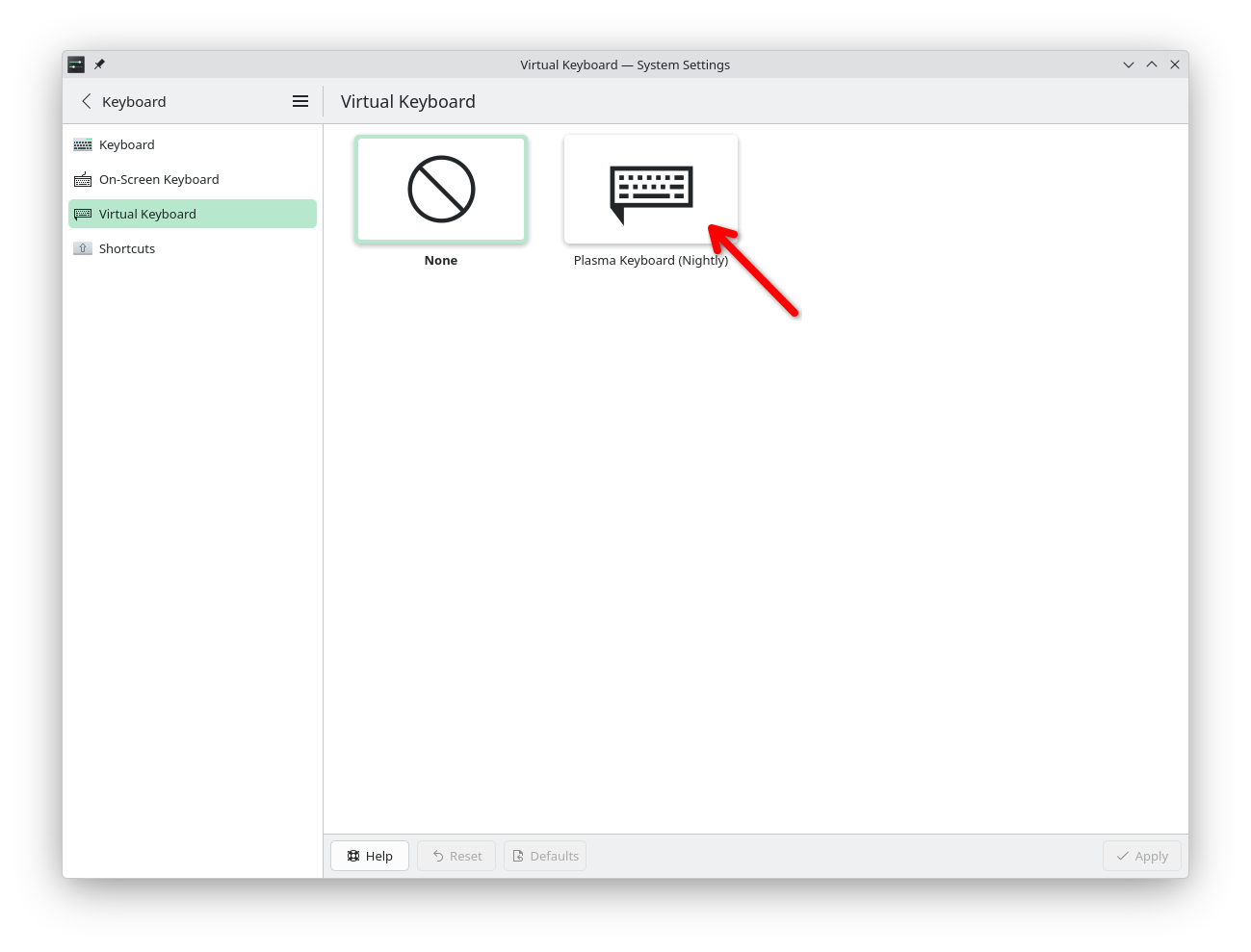
                It also is not on by default. At the moment you can activate it by downloading a Flatpak and then enabling "Plasma Keyboard"—which can also be disabled if you find it annoying.

                There's a whole blog post explaining this:

                https://merritt.codes/blog/2026/03/13/2026/_plasma-keyboard-funding-diacritics
                Link Preview Image
                1 Reply Last reply
                0
                Reply
                • Reply as topic
                Log in to reply
                • Oldest to Newest
                • Newest to Oldest
                • Most Votes


                • Login

                • Login or register to search.
                • First post
                  Last post
                0
                • Categories
                • Recent
                • Tags
                • Popular
                • World
                • Users
                • Groups