I got a label maker and had the strangest experience.
-
@malcircuit Cannot find it now, but there was a post which went something like this...
An apprentice approached a master.
- "Master, it is widely known that you have a smart house. Will you help me learn how to have one?"
- "Yes, gladly"
- "Are the lights automatic and smart?"
- "No"
- "Are the window blinds automatic?"
- "No"
- "Is the heating automatic?"
- "No"
- "But what is smart about it then?"The master paused before replying.
- "Everything"
@malcircuit If somebody can find the original, please share

-
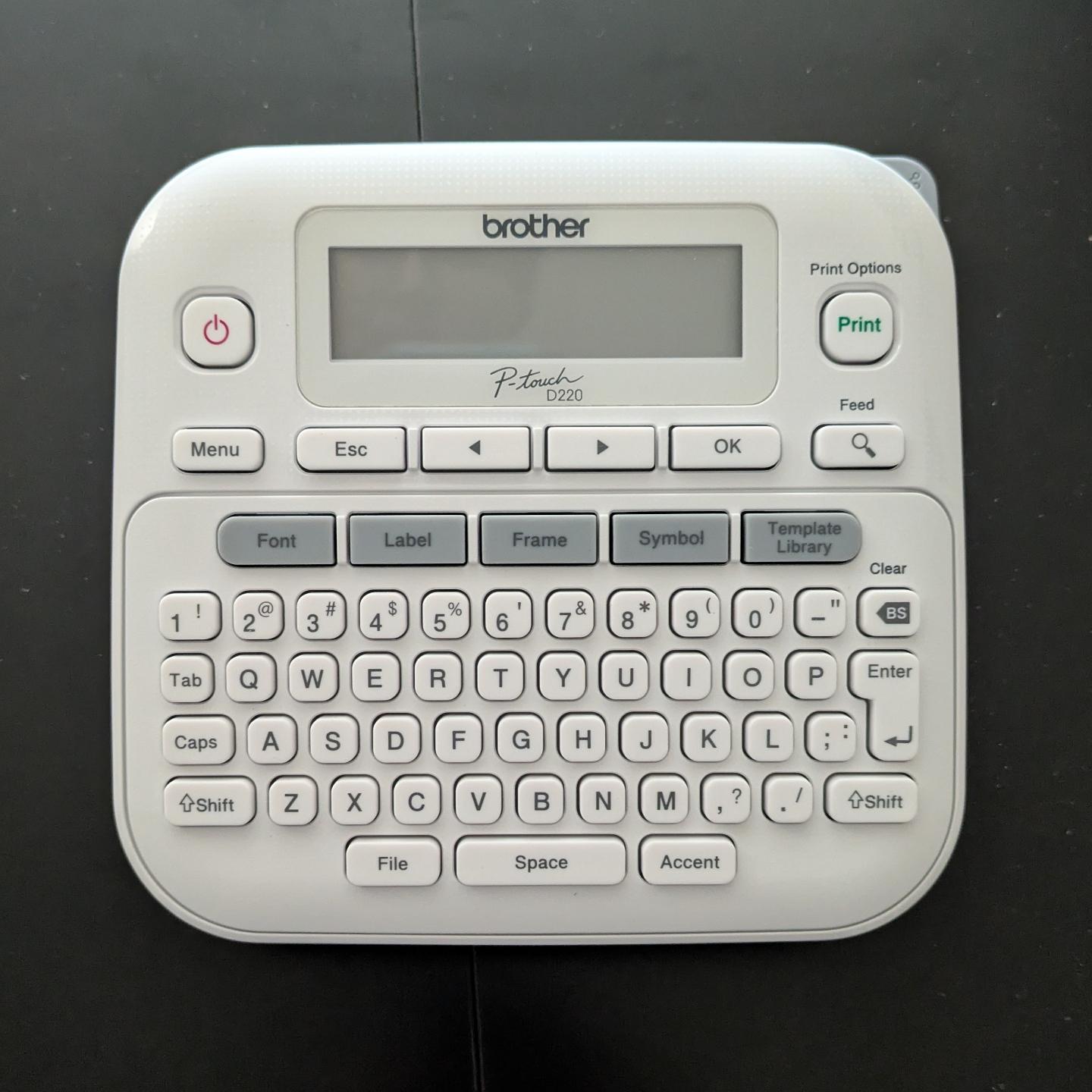
I got a label maker and had the strangest experience. I opened the box, loaded the sample roll of label ribbon, inserted 6(!) AAA batteries, and it worked.
No apps to download. No account to log into. No firmware updates. No pop-over "helpful tips" about how it's "now enabled with AI" or whatever.
I just typed in the label I wanted and hit "print", and it did it. Astonishing. Nostalgic.
@malcircuit you might enjoy https://www.terrygodier.com/the-last-quiet-thing
-
I got a label maker and had the strangest experience. I opened the box, loaded the sample roll of label ribbon, inserted 6(!) AAA batteries, and it worked.
No apps to download. No account to log into. No firmware updates. No pop-over "helpful tips" about how it's "now enabled with AI" or whatever.
I just typed in the label I wanted and hit "print", and it did it. Astonishing. Nostalgic.
@malcircuit slightly unrepeated but I LOVE #Brother - they make amazing printers / scanners that are absurdly cheap to buy and use and they Just Works without any lock in...
-
@malcircuit Pretty sure we have the same label maker. My only complaint is the battery life. I use high capacity AAA rechargeable batteries and still it burns through juice. Otherwise yeah, it's dead simple and just works. Brother makes a companion computer app a friend insisted on trying. It was interesting but not worth the headache of introducing modern enshittification into something as simple as printing labels. Labels are my safe space to let my organization compulsion to run free. Not another thing to troubleshoot.
@danni_storm @malcircuit I discovered that my brother labeler was compatible with a cheap guitar pedal DC power supply I picked up originally for a pedal (then when I decided to put together a pedal board I picked up a slightly more expensive multi-pedal per supply, only after I discovered the original worked for the labeler I misplaced it).
-
I got a label maker and had the strangest experience. I opened the box, loaded the sample roll of label ribbon, inserted 6(!) AAA batteries, and it worked.
No apps to download. No account to log into. No firmware updates. No pop-over "helpful tips" about how it's "now enabled with AI" or whatever.
I just typed in the label I wanted and hit "print", and it did it. Astonishing. Nostalgic.
@malcircuit We need to encourage more of these by purchasing "complete" systems whenever possible.
-
I can't be trusted with one of these. My house would look like an illustration in a Richard Scarry children's book.

@killick @malcircuit We have a label maker. The covered cat box now says POOPATORIUM.
-
@danni_storm Yeah, I definitely have mixed feelings about using AAA batteries. Thanks for letting me know it burns through them quickly. I'll have to make sure to buy a bunch of rechargeable ones.
@malcircuit @danni_storm The battery suck is not my favorite part, but I tend to batch-create labels when I can (print out an absurdly long label tape, cut it into smaller bits) and that seems to help.
-
@killick @malcircuit We have a label maker. The covered cat box now says POOPATORIUM.
@killick @malcircuit The other box is labeled POOPATORIUM 2: ELECTRIC POOP-A-LOO
Waiting gleefully for my honey to notice
-
I got a label maker and had the strangest experience. I opened the box, loaded the sample roll of label ribbon, inserted 6(!) AAA batteries, and it worked.
No apps to download. No account to log into. No firmware updates. No pop-over "helpful tips" about how it's "now enabled with AI" or whatever.
I just typed in the label I wanted and hit "print", and it did it. Astonishing. Nostalgic.
@malcircuit @User47 It's a Brother. That explains a lot.
-
I got a label maker and had the strangest experience. I opened the box, loaded the sample roll of label ribbon, inserted 6(!) AAA batteries, and it worked.
No apps to download. No account to log into. No firmware updates. No pop-over "helpful tips" about how it's "now enabled with AI" or whatever.
I just typed in the label I wanted and hit "print", and it did it. Astonishing. Nostalgic.
@malcircuit This seems to be The Brother Way and I love it so much that whenever I want to buy something, I check if they make it first.
Like, they even made me like my printer. Printer!
-
I got a label maker and had the strangest experience. I opened the box, loaded the sample roll of label ribbon, inserted 6(!) AAA batteries, and it worked.
No apps to download. No account to log into. No firmware updates. No pop-over "helpful tips" about how it's "now enabled with AI" or whatever.
I just typed in the label I wanted and hit "print", and it did it. Astonishing. Nostalgic.
@malcircuit I love my label maker, also a Brother. The borders and styling make it just fun enough that I like to use it over my blister tape one.
-
I got a label maker and had the strangest experience. I opened the box, loaded the sample roll of label ribbon, inserted 6(!) AAA batteries, and it worked.
No apps to download. No account to log into. No firmware updates. No pop-over "helpful tips" about how it's "now enabled with AI" or whatever.
I just typed in the label I wanted and hit "print", and it did it. Astonishing. Nostalgic.
-
I got a label maker and had the strangest experience. I opened the box, loaded the sample roll of label ribbon, inserted 6(!) AAA batteries, and it worked.
No apps to download. No account to log into. No firmware updates. No pop-over "helpful tips" about how it's "now enabled with AI" or whatever.
I just typed in the label I wanted and hit "print", and it did it. Astonishing. Nostalgic.
@malcircuit Here is my solar calculator. It's at least 25 years old. Never replaced the battery or anything. Works perfectly.

-
I got a label maker and had the strangest experience. I opened the box, loaded the sample roll of label ribbon, inserted 6(!) AAA batteries, and it worked.
No apps to download. No account to log into. No firmware updates. No pop-over "helpful tips" about how it's "now enabled with AI" or whatever.
I just typed in the label I wanted and hit "print", and it did it. Astonishing. Nostalgic.
@malcircuit I have that same label maker and it is glorious.
-
@tone1928 @malcircuit kale chips are ducking delicious. They magically dissappear in the oven too, but they take much longer
-
@killick @malcircuit The other box is labeled POOPATORIUM 2: ELECTRIC POOP-A-LOO
Waiting gleefully for my honey to notice
-
I got a label maker and had the strangest experience. I opened the box, loaded the sample roll of label ribbon, inserted 6(!) AAA batteries, and it worked.
No apps to download. No account to log into. No firmware updates. No pop-over "helpful tips" about how it's "now enabled with AI" or whatever.
I just typed in the label I wanted and hit "print", and it did it. Astonishing. Nostalgic.
@malcircuit what a world we live in! This must be the future
-
@malcircuit @danni_storm The battery suck is not my favorite part, but I tend to batch-create labels when I can (print out an absurdly long label tape, cut it into smaller bits) and that seems to help.
@Soozcat
I've found with my brother label printer (although a different model) that the batteries last an order of magnitude longer of they're taken out between uses.
I think there's a constant drain when my device is turned off, so they'll be flat if I print one label and leave them in for a week, but they'll happily print five labels a month for a year if I remove them.
@malcircuit @danni_storm -
I got a label maker and had the strangest experience. I opened the box, loaded the sample roll of label ribbon, inserted 6(!) AAA batteries, and it worked.
No apps to download. No account to log into. No firmware updates. No pop-over "helpful tips" about how it's "now enabled with AI" or whatever.
I just typed in the label I wanted and hit "print", and it did it. Astonishing. Nostalgic.
@malcircuit @bert_hubert some weeks ago I also had a strange experience. After 3-4 years not using it, I just powered it on, typed what I wanted and printed it!
-
@fartnuggets @malcircuit @tezoatlipoca Love the aesthetic of those, but they are work.