Accessibility is hard.
-
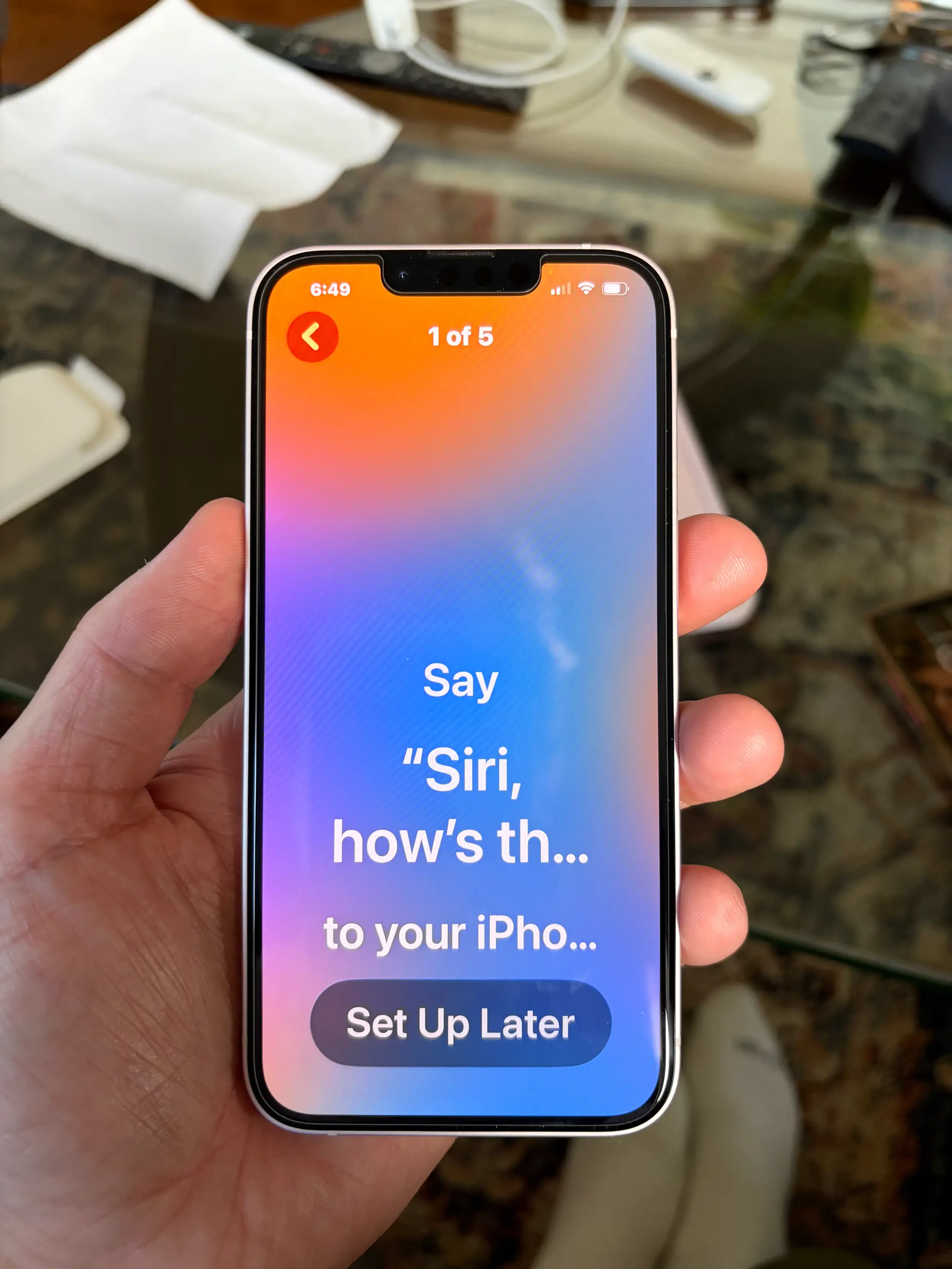
Accessibility is hard. Setting mom’s new phone up and at the larger text sizes you can’t read what you’re supposed to say to Siri so you can’t progress 🥲
-
Accessibility is hard. Setting mom’s new phone up and at the larger text sizes you can’t read what you’re supposed to say to Siri so you can’t progress 🥲
@christianselig Same. My mom is almost completely blind and requires the biggest text size possible, and SO many apps break at those sizes. And they break in ways that’s not immediately clear that that’s the cause. Sometimes whole buttons are just not onscreen with no scroll view, so you’re left wondering whether you missed a step or if the text size is the problem this time. I almost wish it were possible to run iPhone apps on an iPad in mega-scaled-up mode to make the whole view bigger without breaking apps that don’t test at the accessibility extremes.
-
Accessibility is hard. Setting mom’s new phone up and at the larger text sizes you can’t read what you’re supposed to say to Siri so you can’t progress 🥲
@christianselig "iPho" heh, there's a joke that can be made here.
Accessibility improvements here should be made into a high priority.
-
Accessibility is hard. Setting mom’s new phone up and at the larger text sizes you can’t read what you’re supposed to say to Siri so you can’t progress 🥲
@christianselig if you tap and hold on the text it doesn’t show up in a big box on screen?
How could they miss that? There’s even a SwiftUI Modifier for that behavior

-
Accessibility is hard. Setting mom’s new phone up and at the larger text sizes you can’t read what you’re supposed to say to Siri so you can’t progress 🥲
@christianselig Absolutely, my mother in law has the text scaling dialed way up and I'm surprised she can use her iPhone, the way the interface generally breaks.
-
R relay@relay.publicsquare.global shared this topic